I Get By With A Little Help From My Friends

Have you ever had a divine, glorious, light-coming- down- from -the- heavens moment? One that says, “YES!  They finally get it!”  A recent student conversation was music to my ears:

Tahra: “Mrs. Meeuwse, I think I need help spelling the word ‘children’.”

Ansley (before I could respond to Tahra): “I saw that word in a book I was reading today.  I can get it and show it to you.” Ansley goes directly to the book and brings it back. Opens it right to the page and points out the word “children”.

Tahra: “Thanks, Ansley.  That was helpful.” Such nice manners!

What!?  This conversation was awesome on many levels but  I was truly delighted they worked together and solved a problem without me!

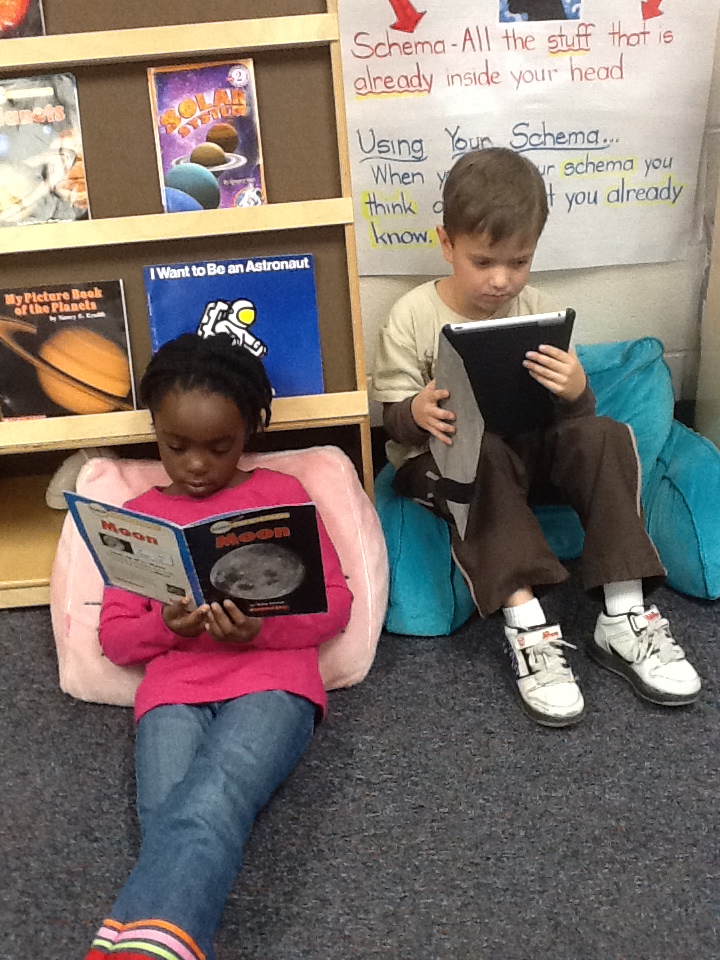
Cooperative learning creates an environment of active, involved, exploratory learning. It also develops social skills and higher order thinking skills.  Creating an environment where cooperative learning takes place all throughout the day is important.  It builds student confidence knowing they aren’t alone.  Using iPads, students are constantly teaching each other (and me!) how to do something.  This sharing of information and exploration is seamless as we move throughout the day.

Tahra and Ansley reversed roles a little later.  Ansley thought of some ideas for her blog posts and wanted to write them down.  Tahra showed her how to make a list in the Notes app on her iPad.  The children enjoy  helping each other.  Problem solving skills are also being reinforced, not to mention my name is called a few times less each day.  They are learning to “ask the experts” in the classroom.

John Lennon was right. We all need some help from our friends. I know I do and I have 26 little friends who are there when needed!
Jayde Talks Blogging

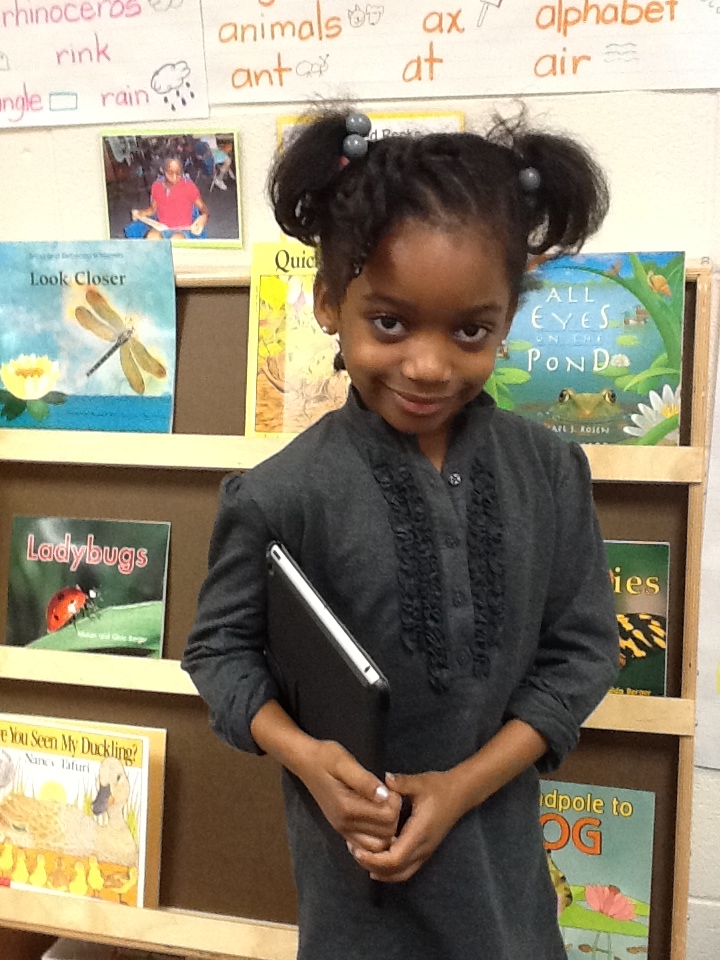
Jayde takes a break from her writing to pose for our picture.

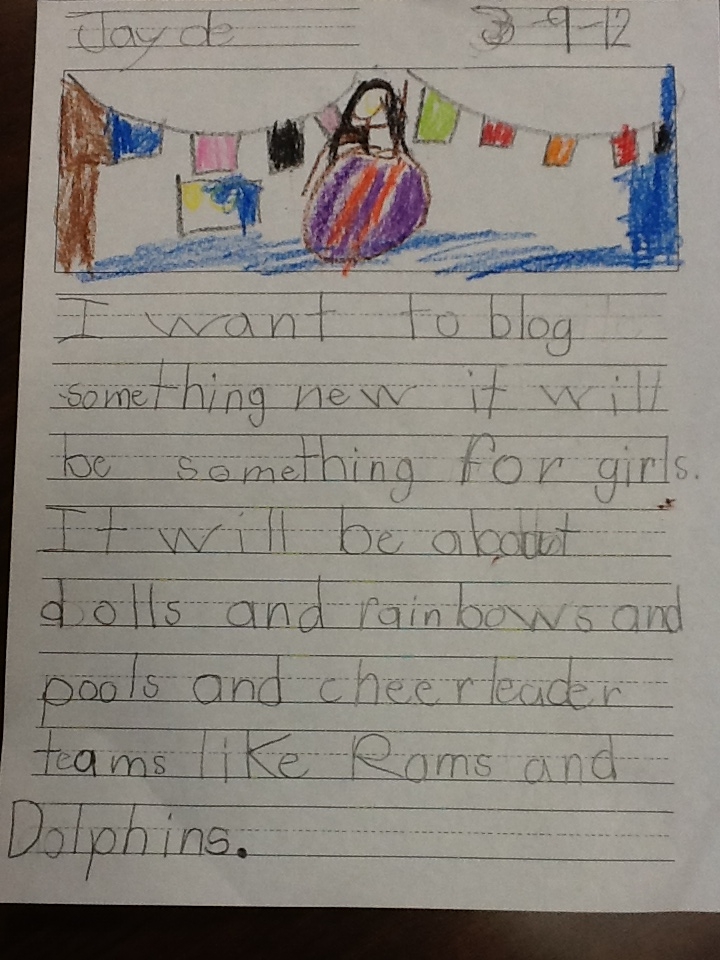
Last week, I posted about my students using their iPads to blog using Kid Blog and I shared a  writing sample from Jayde.  She shared that she wanted to write a new blog for girls.  She included a few topics that she would like to blog about.  What strikes me about this young writer (besides the fact that she is 6 years old) is that she already has a basic understanding of her niche.  Pro blogger states that many writers ask what to blog about rather than how.It further states that niche blogging appeals to readers.

I interviewed Jayde about her blogging ideas.  Here is an excerpt of that interview:

Me: “Jayde, tell me what you like about blogging.”

Jayde: ” I like writing about things I like and I like to read what other people write. ”

Me: “What made you want to write a blog for girls?”

Jayde: “I like dolls and rainbows and I like cheerleading.  I have friends who like those things too. I think other girls like them too.”

Me: “How do you decide what to write about?”

Jayde: “I just think of things I like and what my friends like.  It’s easy.”

Jayde at work.

There it is folks…Jayde knows what it’s all about. French-Cuban author Anais Nin says, “My ideas usually come not at my desk writing but in the midst of living.” It inspires me to know that Jayde and the other students in my class are busy 5 and 6 year olds living and writing what they know.

What inspires you?


It’s Just How We (Blog)Roll…

“Most of the basic material a writer works with is acquired before the age of fifteen.”-Willa Cather

This week, I stepped into the world of blogging on the iPads with my kindergartners.  Through KidBlog students can blog in a safe and secure way. The website states “Kidblog’s simple, yet powerful tools allow students to publish posts and participate in discussions within a secure classroom blogging community. Teachers maintain complete control over student blogs. ”

What could kindergarten students possibly have to say in a blog?  Seriously?  Have you been in a kindergarten classroom?  They ALWAYS have something to share.  This forum allows them to share as much and as often as they like.  Blogging supports writing and reading skills as well as digital literacy.

I showed my students this blog and then talked with them about what they might want to share on their own.  We brainstormed different ideas and then off they went making lists on their iPads of possible blogging topics.  I posted to the class and then had them read and respond to my post first.  Then I had them write their own posts. Next, I had them choose some of their classmates posts to read and respond.  This all happened in one day!  Since then, each day, they are asking me if they can please write in their blogs.  My next step is to connect with a first grade class in our building and become Blogging Buddies.

Obviously, I am monitoring all posts and comments.  I am also posting on the blog site and responding to their blogs.  This modeling is important.  The students get excited when they see I have responded to their blog.

One student’s thoughts about blogging

Blogging is allowing my students to bring their own voice alive in the classroom and construct their own learning.  It gives them an important sense of being a writer.  After all, we are what we think we are.

Anchor Charts: Why We Use Them!

Sorry, this isn’t a blog post about boating in the beautiful Charleston area. The anchors I’m referring to are anchor charts. 

Anchor charts are valuable visual support tools to assist students in learning new concepts.  Teachers and students may refer to them all throughout the year.  When we are working on new content in our Reading and Writing Workshop mini lessons, anchor charts are co-created with teacher and students to help “cement” the learning.  They help to make abstract ideas more visible for students.

So where do the iPads come in? The anchor charts are only the start. Due to space restraints on the chart paper, I’m unable to add all of the connections that the students share with the class.  Students then use their iPads to jot down their own ideas.  We use the Notes app to make a list of things that go along with our anchor chart.  Students may then use that list as they are writing to activate their schema.  Students also use the Pages app to write more complete thoughts and incorporate images. By using the iPads, students are able to quickly record connections as they make them, then refer to them as they need them in their writing.

Emergent readers and writers struggle at times with ideas.  The anchor charts and the students’ abilities to extend them with the iPads are a perfect pairing for successful learning!

Take a Look, It’s In a Book…

“The more you read, the more things you will know. The more that you learn, the more places you’ll go.” Dr. Seuss

I thought it was appropriate to start this post with a quote from Dr. Seuss as it is his birthday month.  There is nothing better than getting lost in a good book.  In fact, I’m often sad when I finish a book.  I miss the story and the characters.  As a teacher, I want to instill that love of reading into my students.

I’ve spent most of this school year in a Literacy Leader cohort through the State Dept of Education of SC.  Through this cohort, I’ve reflected and changed my teaching of reading.  My goal for this year was to re-vamp my reading center and make it a place students want to go.  The transformation is very Barnes and Noble-esque…we even have free Wi-Fi.  I’m only missing the coffee bar. Hmmm…something to work toward!

Students have leveled books for Just Right Reading, there are baskets of different genres, a Featured Book section featuring books from our current unit of study, a featured author basket, a New Arrival basket complete with baby blanket and stuffed animals, a big book section and a poetry section.  Students have comfy chairs and pillows to snuggle into and get lost in a book.  Oh yes…they can also get lost in their iPads.  The students have leveled readers on their iPads as well as other books of interest.

As a life-long reader, I have just transitioned to e-books in the last 2 years with my iPad.  I was concerned at first that I wouldn’t like the feel of reading a book on the iPad.  After all, strong in my memory of childhood, is curling up with a stack of books and enjoying the pictures, the pages, and the smell of my favorite stories.  I have long run out of room in my house for any more books but my iPad is ripe and ready for as many books as my iTunes gift card can support. I’m on board the e-reading train! My students also love reading from their iPads.  They even create their own stories in a wonderful app called eBook Magic that I can then share with the other students in the class.

I am a voracious reader…a walking-down-the-hall-trying-not-to-bump-into- things, head-under-the-cover-hiding-the-flashlight, will-even-read-the-cereal-box-when-I-have-nothing-else-to-read reader.  I want my students to find that love in whatever way they can. The iPads are helping transform even my struggling readers into life-long readers.

What kind of reader are you?

I scream, you scream, we all scream for iPads!

“Mrs. Meeuwse, I asked for an iPad for my birthday!” a student shared.  “You did?” I asked.  “Yes.  I saw on tv where they are very affordable.” she said.  Wow, I thought.  I was 46 before I was able to get an iPad and now this 5 year old is getting one.

I know there is a lot of discussion about the appropriateness of these tools in the hands of young children.  You can debate they aren’t old enough to handle them properly or that they can’t appreciate the power of it.  “What about old school paper and pencil?” some have said.  My question to those people is, “Why can’t we use both?”  I do use paper and pencil in my class.  It is still important for children to learn HOW to write.  We still use real books for reading.  We also use books on our iPads.  My students use their iPads for a variety of activities but we still have a block center, a housekeeping center with dress-up, and an art center.  We still pretend and sing and hold hands and take a nap.  The real rock stars here are these students.  They don’t care about the fuss and debate.  They just want get on with the business of learning.  Isn’t that what it’s really all about?

Fast Forward to 2012

Go forth, be fruitful and multiply:  Our pilot was so successful that every student in the school received an iPad this school year.  The three of us in the initial pilot held training sessions for the rest of the staff.

Student engagement is the key.  iPads are highly motivating tools.  The sheer simplicity of opening a whiteboard app to work on addition or subtraction number stories is bliss.  No more white boards and dry erase markers.  Need to work on word families? Open your whiteboard app and write words in the -at family.  Hold up your iPad to reveal your answers.  Need to practice your spelling words? Open up your Magnetic Letters App,  make your spelling words and email them to your teacher.  All of these are possible in a kindergarten classroom with iPads. Everyday Math lesson using calculators?  No need to pass out 15 and have students share.  Open up your calculator app and let’s get to work.

Discipline problems?  All but gone.  Kids do not like to have their iPads taken away for any length of time.

Our iPads are now an essential part of our daily curriculum.

There’s An App for That!

And indeed there is…whatever your heart desires, rest assured there’s an app.  One of my challenges was finding appropriate apps for my students.  I found many I liked and many that were well, awful inappropriate.  App regret is completely fixable.  You simply delete it from the account.  I currently have over 100 apps categorized in folders for student use.  We have apps for pleasure reading, leveled books, math, spelling, phonics, writing, music, drawing, science and sight words.

My students can read leveled books during Reading Workshop.  LAZ leveled books in the app store is a great resource for Just Right Books for students. We use these books quite a bit. There are vocabulary words and comprehension questions at the end of the stories.

I have found that through the use of the apps, I can differentiate instruction for the varying needs of my students.  With a large class size, it is often difficult to meet the individual needs of students.  The iPad apps, along with strong instruction in the classroom, provide my students with the ability to progress at their own pace.  Advanced students may move on without being held back by those students who need extra help.  Those who need more practice may do so without being rushed by those ready to move on.

“Sync”hronicity

There were 3 of us in the pilot program. I teach Kindergarten, Mary teaches First Grade and Amy teaches Third.  We became very quickly versed in the lifeline of the syncing cable.  iPads are quickly becoming the hottest technology in education;  however, their creation was intended for individual use.  Adding multiple apps became our immediate challenge.  We quickly became pros at plugging in and syncing our class sets.  Our mantra was “Time to sync the iPads”.   We kept our Apple Systems Engineer on speed dial.

What was amazing was 3 days after giving the students the iPads we were visited by our district leadership and the children demonstrated their complete mastery of them.  My 5 year old students were schooling these adults in terminology. “It’s not a GAME.  It’s an APP.”  These digital natives showed their stuff and pushed the 8 visitors in suits into a stunned silence.

We were on our way.  Over the remaining months in the 2011 school year, my students would become impeccable hosts and hostesses as we had visitors coming to see the iPads in use.

Here We Go…

“What’s a girl have to do around here to get an iPad?”  That question, posed to a friend in the technology department of our district in October 2010, has catapulted me into the realm of iPads in education.  3 months after the initial inquiry, I had 30 iPads delivered to my classroom with no rules, no plan and endless possibilities.

The initial training was brief.  I, along with 2 other colleagues in my school, were selected to serve as pilot teachers for 1:1 iPads.  We met with a Systems Engineer from Apple and in a few short hours we had our Mac book, our iPads, and our mission:    Go forth, be fruitful and multiply…

And so it begins