The “Art” of the Matter

A work of art is the unique result of a unique temperament. -Oscar Wilde
As a classroom teacher, I see many personalities and temperaments daily.  As we work together, it is impossible not to know a child’s likes or dislikes, their interests and what turns them off.  All of my students want to shine.  Some shine more brilliantly than others, in a way that no one can miss.  Others shine more softly and feathery, like the moonlight.   The key is to weave these differences together into a tapestry that works and thrives together in a classroom.
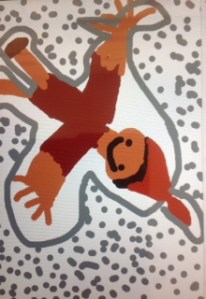
photo-15One thing they all have in common is the love of art.  They love going to art class for special area and they love cutting, gluing, pasting, coloring and painting in class.  Most of them create excitedly and without hesitation, but a few of them have been bitten by the “not good enough” bug and are afraid to draw a bold line and get started for fear of doing it wrong.  When my students are creating, their engagement is nearly unbreakable.  So, why do we put art off until “after you finish your work?”  In our class, when we are creating content,  art is a necessary part of the process.
As adults, sometimes we see art as frivolous and something one does in one’s free time.  (And really, how much of THAT do we have?)  When we remove creativity and creation from our classrooms, we are teaching our children that it doesn’t have value…their creative selves are to be kept separate from their thinking selves.  Art is so much more than drawing and coloring.  Art is photography, music, poetry, writing, film making, and more.  How can these not play an important role in learning?  When students are able to use their talents, or develop and explore talents they didn’t know they had, they are learning how to be diverse individuals who have something unique to contribute.
I’ve always been interested in photography, but never really pursued it for many reasons, all mostly just excuses.  I finally made room in my life for it and can’t believe what I have missed out on for so long in not pursuing it.  I can’t imagine my life now, without it!
photo-4
As I watch my students work individually and collaboratively on projects, it is gratifying to see them encouraging each other as they work on creating content.  The creation apps on our iPads such as Explain Everything, Book Creator, Pic Collage, Strip Designer, Popplet and iMovie all contribute to the wealth of workflow in our curriculum.  Each piece of work is as different and unique as the child that created it.  And THAT is exactly why I teach…to celebrate and develop the uniqueness of each child.
I encourage and challenge you to look for the art in your classroom.  Is it put on the shelf for when work is finished or is it integrated into the workflow of the day as a regular part of learning?
Today we will do exciting new things…let’s get to it!

Cultivating a Love for Reading

My mother was my world and she brought reading into it. -Donalyn Miller, The Book Whisperer

I was fortunate that I came from a family of readers.  Everyone read and the love of it was instilled in me very early.  I wish the same could be said for all of my students, and because it isn’t a priority in every home, I make sure to make it is a priority for the 7 hours they are with me Monday through Friday.

We talk about books and immerse ourselves in literacy building activities all day long.  We compare books and authors.  We compare writing styles and illustrations.  We do author studies and we use mentor texts in our Writer’s Workshop time.  I create books for my students in iBooks Author and in Book Creator.  I put them on their iPads and they have “just right” books at their fingertips all the time.  So, it isn’t surprising to me that my students are eager to make their own books.

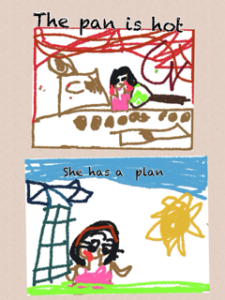
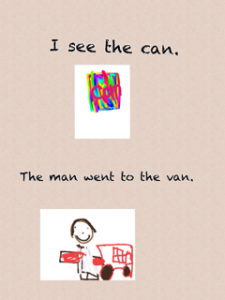
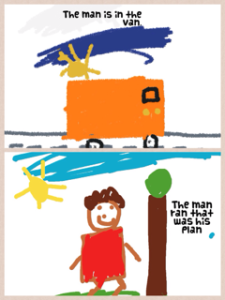
Our favorite app for student-created books is Book Creator.  I’ve written about my ongoing love affair with the Book Creator app many times,  and now, you have the ability to draw within the app itself.  After introducing my students to this versatile app, I was immediately asked if they could make a book.  Many work on them during their free choice time.  At this point, they are fairly short books.  Here are a few screen shots from one of the first books a student created.

IMG_0860

IMG_0861Because he recorded his voice reading the book, I can’t upload the file.  This book was 5 pages, including the ever popular “The End” page.  He worked every free chance he had over a couple of days to complete it.  Because we use Showbie, I can upload his book to the shared folder and all of the other students can download his book and have it on their bookshelves.  This is a great way for students to share their work with their peers.

Another student started a Space book in Pic Collage.  It is not finished but her intention is to create several pages, save to her camera roll and upload into Book Creator.  Here is one of the first pages of her book:

IMG_0859I love the enthusiasm and creativity of these children.  I love how their excitement over creating a book is so genuine.  I love how their eyes widened and they bubbled over with excitement when they saw the Book Creator app and what it could do.

Giving children choice in how they demonstrate their learning is a mainstay in our classroom.  My students take charge of their learning through the use of these creation apps.  They think nothing of using  multiple apps to create a final product.  They create and combine on their own with confidence.  They are able to upload their final work to Showbie independently.  They are proud of their work and are eager to share.

As a parent and as a teacher, I want my children and my students to feel the joy of being a reader.  By bringing my own love of reading to the classroom, my students are discovering they are able to create their own books, make their own art, and share the joy with others as well.

Today we will do exciting new things. Let’s get to it!


Teaching and Leading

A leader is best when people barely know he exists, when his work is done, his aim fulfilled, they will say: we did it ourselves. -Lao Tzu

medium_6550520What do you need today?  A moment of peace and quiet? A push to get moving on a project you’ve been neglecting? Better yet, when was the last time you were even asked what you need?  As educators, we often are so focused on others, we don’t take the time to nurture ourselves either personally or professionally.  Today, I got something I needed. I had the ability to reunite with a cohort of teachers; ones with whom I had the privilege of spending one day a month in intensive Literacy Leadership training two years ago.   Our trainers brought us all back to share our stories and how we’ve changed since our training.  We also had great discussions on being educational leaders, why leadership is important and how teacher leaders extend their reach to touch others.

In preparing for this reunion workshop, we had to reflect on how our teaching has changed, how we’ve changed, over the last 2 years and be ready to share with the group.  Wow…my last 2 years have been just a little busy.  You can say it was the perfect storm of events.  The original literacy cohort began the year I received iPads.  The merging of the professional development highlighting student literacy with the versatility of the iPads completely transformed my teaching. I was encouraged to start this blog by a visionary friend who saw the magnitude of this story long before I did.  Then, I was chosen to be an Apple Distinguished Educator which gives me the amazing opportunity to speak to educators and leaders globally about my work.  (I used italics there because this still blows me away!)

Today, after writing out our transformation into teacher leaders, we were then asked to set a goal about where we go in the future.  I. Had. No. Idea…Really.  If you had told me 2 years ago I would be doing what I’m doing today, I would have never believed it.  So, there’s no way I can predict the future.  What I can say, is that by being open to the process all this time, doors open.  That’s it.  Show up everyday, be true to what you believe about how children learn, and doors open.  I do have to give MAJOR praise to my principal who supports me at every turn.  He truly exemplifies an educational leader.  He understands that the collective wisdom in the room far exceeds his own as an individual and he nurtures teacher leaders.

As for the iPads, what I need to say is this:  No one ever picked up a pencil and said, “THIS is truly a transformational tool needed for learning.  Let’s build an entire lesson around this!” The iPad can be a transformation tool as long as it is not the focus of the lesson. It can transform your teaching as well, if you are open to the process.

So, to all of you out there I say be open to the process.  Refresh yourself with a class or workshop. Collaborate!  In the words of my cohort leader, “Teachers can’t afford to be in private practice.  We have to collaborate to be effective.”  True story.

Thanks to all of you who show up here on a regular basis…I’m grateful to have you as readers.  You too, bring something to my table.

Today we will do exciting new things…let’s get to it!

Photo credit:  Creative Commons

Using iPads to Work and Learn Together

Coming together is a beginning; keeping together is progress; working together is success. -Henry Ford

Ah yes….working together….I can’t help but be reminded of the the preschool song “the more we get together the happier we’ll be”.  Working together, planning together, and achieving goals together is a beautiful thing.  It is not, however, something that is always done easily and it does require planning and effort.

We have been diligently working and planning together in our class.  Besides working on instructional goals, we are also working on our soft skills.  It is never too soon to work with children on their “EQ”…emotional intelligence quotient.  These are the cluster of personality traits, social graces, communication, language, personal habits, friendliness, and optimism that characterize relationships with other people.  They complement hard skills.  Learning these skills now help transition them into adolescence and adulthood. In today’s world,  soft skills relate to a person’s ability to interact effectively with coworkers and customers and are broadly applicable both in and outside the workplace.

That being said, it takes time and planning to build community in a classroom full of egocentric 5 year olds.  We have been working on planning our day, working together on activities and projects as well as sharing with each other our completed work and work in progress.  This involves listening to each other, offering praise and helpful suggestions (helpful being the operative word).  This takes modeling and practice!

This week, we shifted from writing the plan for our day on a PDF on our iPads to actually typing it in the Notes app.  This has been very efficient and the kids feel “grown up” making a real list by typing.  They have their 5 “must do’s” listed on the Smart Board and they choose the order in which they want to complete them.  Currently, I am assigning the apps, but soon they will be choosing which apps to use to complete the assignment.  smartboard captureThe picture cues to the right assist them if they forget as they move through the day.  Kids are working individually, in pairs, or small groups by their own choice all throughout the day.

Here is a sample of the word work created on this particular day in the Magnetic Alphabet app.  The kids take a screen shot when finished and upload to Showbie for me to check later.

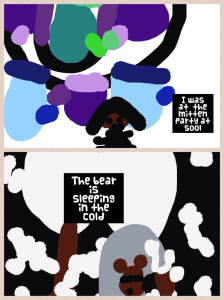
magetic abc workHere are 2 Pic Collage examples from a different day using the vocabulary words “mitten” and “cold”.

cold pic collage

Mitten pic collageOnce the students draw their pictures in Drawing Pad app, they save to their camera roll and upload into Pic Collage.  They then type the sentence using the vocabulary words for each picture.  They save it and upload to Showbie.

This schedule allows for a lot of collaborative time with each other and with me.  I am able to conference with children, assess, work with small groups and facilitate all throughout the day.  Because students have many opportunities to work collaboratively and interact with each other, we can practice modeling those soft skills we are learning about each day.

By setting up the classroom environment to reflect the values of learning through choice and collaboration, students are able to learn valuable skills that will carry them into the future.

Today we will do exciting new things.  Let’s get to it!

Building Vocabulary with iPads

Vocabulary is a matter of word-building as well as word-using. -David Crystal

We are in transition…in the process of moving from our choice board centers to more content creation centers.  This will take us a couple of weeks to migrate over to that system.  I will write more about this as we go, but for now, we are  adding various components daily that will be a part of our day.

How do you know when it’s time to change?  Every class is different and some can handle this change sooner than others.  I have a few signs I look for.  I look to see if the students are able to work more independently on iPad activities involving creation apps (such as Pic Collage and Explain Everything).  I also look to see if they are mostly able to upload their work to our digital portfolio app, Showbie independently.  But the real indication that really spurs me to move to the next phase in centers is they are driving me freaking crazy in the ones we currently have.  Even with frequent changing of manipulatives, activities and games, they suddenly stop using them purposefully.  Unifix cubes are no longer being used to pattern.  They are becoming light sabres and swords, or guns that attack others. And I am on the verge of yelling, “C’Mon Man!”  When you begin to feel the crazy creeping up and you want to retreat into the bathroom for an hour of sanity, it’s definitely time…and  I’m apparently the grown up and something has to give.   🙂

So to get ready to transition, we start working on vocabulary.  This will be one center the students will have once we move away from the choice board.   This week we are reading The Snowy Day (appropriate and all polar vortex-y).  This is our mentor text while we talk about onomatopoeia.  We talked a lot about the words “crunch” and “plop”.  These words in the story relate to snow, but we don’t get snow here.  We thought of other things that can crunch and plop.  The next few days we will work on just 2 words but we will eventually move to 4 vocabulary words each week. These words are usually unit related.

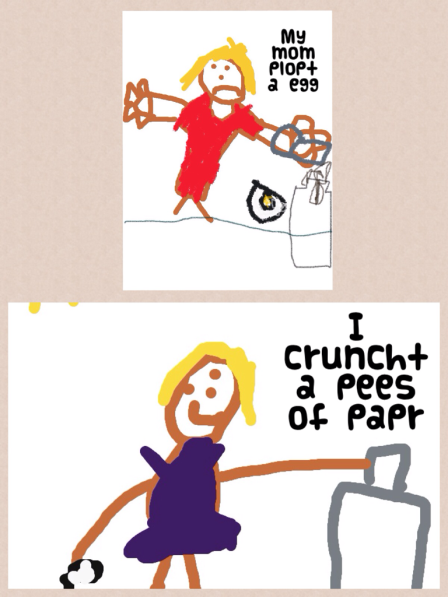
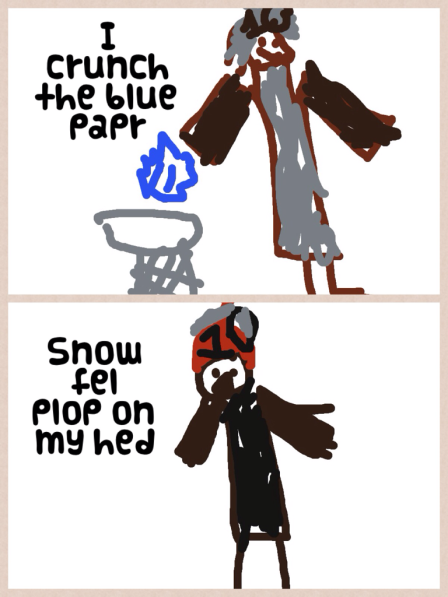
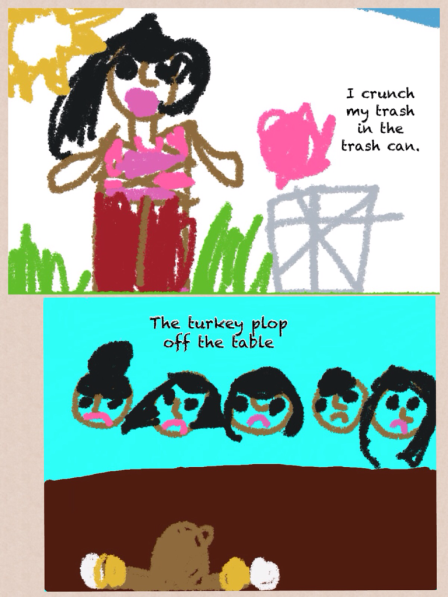
The students took these 2 words, crunch and plop, and drew a picture for each.  It was saved to the camera roll, then uploaded into Pic Collage.  The students then wrote a sentence to go with their pictures using the vocabulary word in the sentence.  The finished Pic Collage was saved to the camera roll and uploaded to Showbie.

Here are a few examples:

Vocab Pic Collage 1

Vocab Pic Collage 4Vocab Pic Collage 2

Working with onomatopoeia is fun and a good way to start introducing vocabulary to young students.  As students become more proficient in their learning and in their ability to handle more responsibility, moving into more robust content creation is a logical next step.  And don’t we all have those really bright students for whom we just can’t dig deep enough for their requirements?  This type of activity allows them the freedom to move and groove on their own.

The best part of student-centered classrooms is giving them the ability to soar when they are ready.  We are always moving toward more student voice and choice.  I mean, no one wants to listen to my big talky head all day.

Stay tuned.  We are on the move!

Today we will do exciting new things.  Let’s get to it!

Word Work and iPads

Teaching reading IS rocket science! -Louisa Moats

I’ve probably used this quote before…but it certainly bears repeating.  We are immersed in literacy activities all day long in our classroom and it is starting to bear some fruit.  Nearly all students are reading and we are 75 days into our school year.

Since we follow the Reading and Writing Workshop Models daily, we spend a lot of time doing word work activities.  We have been working diligently on word families and rhyming words.  We have used our iPads quite a bit to do this word work. The Magnetic ABC app has worked well in making words together in small groups.  We have also done a little app smashing with Drawing Pad and Pic Collage.  Here are a few samples from that:

photo 3photo 2-2

photo

At the risk of being Captain Obvious, we were working on the -an word family.  They were able to choose 2 words in that family to illustrate in Drawing Pad.  They saved those drawings to the camera roll then uploaded them into Pic Collage where they typed a sentence with each word.  After saving the Pic Collage, they uploaded it to Showbie for their portfolio.

This relatively quick activity ( 30 minutes start to finish) will be a building block for when the children move into planning their own day and they have vocabulary words for their word work.  These 2 frames will eventually become 4 in Pic Collage.

What are the challenging parts right now?  We are still working on using the space bar between words when typing.  Back spacing and starting again provides an almost miraculous cure to that!  A few still need guidance in saving their Pic Collages to their camera roll.  Other than that, they are rock stars!

Word work is an important part of early skill building in literacy.  We play many quick games daily both on the iPad and in small skill groups.  Word Work helps them become better readers and writers.  If you are unfamiliar with the components of the workshop approach, I encourage you to read Lucy Calkins’ books.  These are easily found online and are great resources for the Reading and Writing Workshop models.

The difficulty of teaching reading has been greatly underestimated.  It is a complex process and requires a repertoire of strategies.  The iPads are providing me with another tool in my toolbox to reach all of my young readers!

Today we will do exciting new things.  Let’s get to it!

Creativity and the iPad

Children see magic because they look for it. -Christopher Moore

“Stop acting like a child.”  How many times have you heard that or said it?  The implication is negative, the behavior undesirable.  Why is it that society has deemed being child-like as a bad thing?  Certainly, some childish behaviors are less than desirable but children have unique vision that adults seem to lose as we age.

IMG_0722Part of that ability to have imagination comes from not being afraid to be wrong.  Creativity and imagination spur innovation.  What if we could organize and prepare like an adult but think and create like a child?

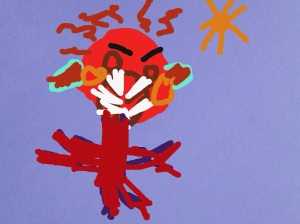
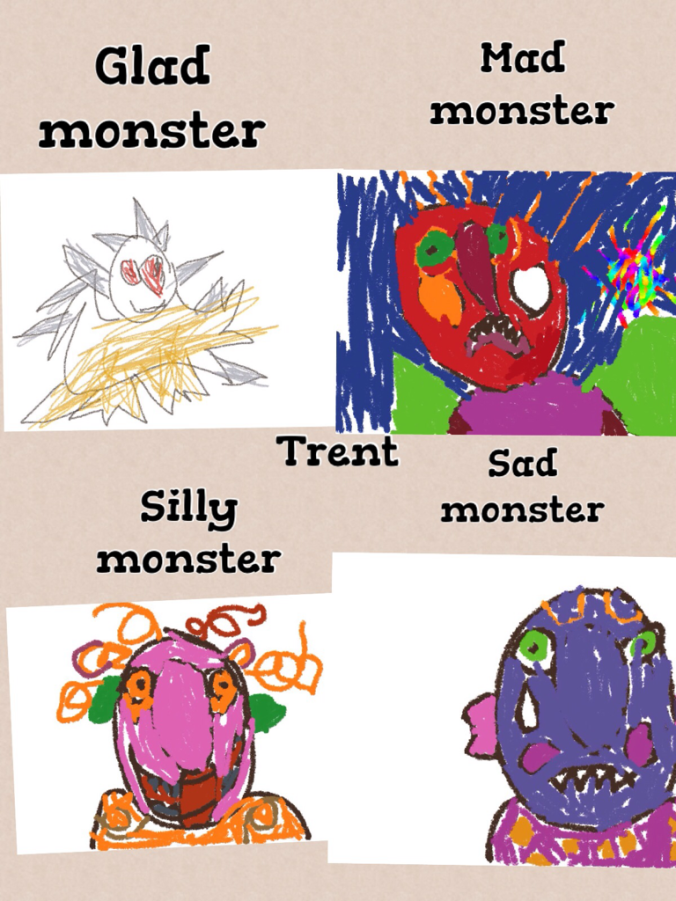
We just finished a fiction unit on Monsters.  We had fun reading several fiction stories such as Go Away Big Green Monster  and Glad Monster, Sad Monster. The children’s conversations in centers and in various activities were filled with imaginative scenarios involving monsters all week. This was also a great time to incorporate feeling words and describing words into our mini-lessons.  As we made anchor charts with some of these words, the children could refer to them all week in their reading and their writing.

Children are so adept at pretending.  They are missing those filters of self-IMG_0724consciousness that adults have so firmly in place.  Adults often feel they “aren’t creative” because they have become so adept at avoiding being wrong. I love listening furtively to the conversations that go on in our housekeeping center.  The social skills developed in this center are invaluable.

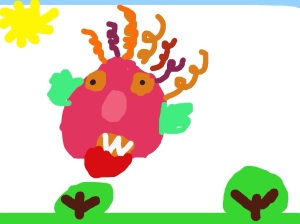
As we worked on our monsters all week, we created our own “feeling monsters” in Drawing Pad, then uploaded them into Pic Collage. Some even went a step further and uploaded their Pic Collage into Explain Everything. (We have finally started our App Smashing!)  The iPads allowed us to create and innovate as we added some voice to our writing all week.  IMG_0725

All of us, adults and children alike, have the ability to use our imaginations. We tell others, you can do anything you set your mind to…but do we believe it about ourselves?  Imagination isn’t just thinking outside of the box.  It is acting on those “what if’s”.

In educational times of increased non-fiction requirements, we enjoyed taking a break and delving into monsters.  Instead of writing them off as not-real, my students embraced the opportunity to pretend, create, write, and explore “monstrous” possibilities.

We love using our iPads as creation tools.  The only limitation is our imaginations.  My students found theirs to be of “monstrous” proportions!

Today we will do exciting new things.  Let’s get to it!

Using iPads to Supplement Reading

We shouldn’t teach great books; we should teach a love of reading. -B.F. Skinner
“Seriously!  Do I have to do ALL the work around here?” This is a quote from a child in my housekeeping center recently that made me laugh.  She was definitely channeling another adult in her life…but it is a sentiment I’m sure we have all thought, expressed, or hollered at some point in both our personal and professional lives.  Wouldn’t it be great if the great Work Fairy came down and waved her magic wand?  Wait…wouldn’t it be great if there WAS a great Work Fairy???
C0010258 StudyingAs educators, our  “In-Basket” tends to overflow with things we want to do, have to do, and need to do.  It is hard to find time to do it all.  With reading and literacy as a huge focus in early childhood classrooms, it can be difficult to meet the needs of each child.  We use the Fountas and Pinnell guided reading approach but I supplement with extension activities on our iPads.  This helps me reach all of the needs of my students.
My students are homogeneously grouped for reading.  These groups are small (4-6 students) and are flexible.  They change with the particular skill we are working on.  With my struggling children, we use games, manipulatives, flash cards and apps to immerse them in phonics skills.  Some of the apps I’ve been using that have been helpful are Starfall ABC’s, Starfall Learn to Read, Word Wizard and Montessori Crosswords.  These apps provide strong emphasis on phonics skills.
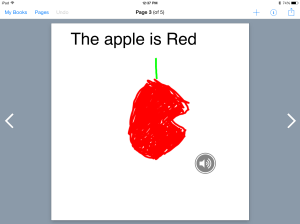
My middle group and top groups are working on sight words, blending sounds to read words, and integrating strategies to read unfamiliar words.  They are reading on Level A at this time.  I have several level A readers in my room, but I’ve created some to go on their iPads in Book Creator so they have them at their fingertips when they have a few minutes to read or when they go to the Reading Center.  Here is one using sight words
This is a PDF version since not all of my readers have Book Creator.  Some of the books I’ve made include me reading the text.  Students can touch the speaker icon on the page and hear me read the story to them.  The I Can See Book does not have that feature.
By using the iPads to supplement skills in reading, I’m able to work with students on various levels and let them move on when they are ready.  This actually reduces my work load considerably and frees me up to have conferences with individual students and work with individual students in a more meaningful way.  Work Fairy or not, less teacher work and more time with students is a beautiful thing!
Today we will do exciting new things.  Let’s get to it!
photo credit: Creative Commons

Making Your Mark With iPads

Do not go where the path may lead; go instead where there is no path and leave a trail. -Ralph Waldo Emerson

medium_4176075327Well, we missed it.  International Dot Day was September 15th.  Better to be late than not go at all, we celebrated making our creative mark this past week.  It came at a good time.  I’ve been hearing a lot of “I can’ts”  lately.  If you are unfamiliar with the story of The Dot by Peter Reynolds and International Dot Day, you can check it out here.  In the story, Vashti is an uninspired student who feels as if she can’t draw.  Her teacher encourages her to be brave enough to “make her mark”.

Leaving our mark is a lot easier than we think.  We make it hard.  We resist and tell ourselves we aren’t smart enough, creative enough, talented enough, rich enough…but what if we took a page from Vashti’s playbook and just tried?  As educators, we make lasting marks with every child we teach.

As we started using iPads in our classroom in 2011, there was no real path to follow.  We trail blazed our own.  There were a few bumps along the way, but we believed in what we were doing.  We started with our own “dot” and it has transformed the way we do everything. It has transformed the way we think about everything.

So back to our dot project…after reading the book, we used our iPads to create our own dots in our Drawing Pad app.  (We usually use Doodle Buddy, but they have not updated the app lately and it doesn’t work very well with the new iOS 7 update.) The kids uploaded their dots to Showbie and I then downloaded them all on my iPad and put them into Book Creator.  As you may know, my love  for Book Creator is epic.

Our finished product is here:

The Dot

The great thing about Showbie is there are “shared folders” with each assignment.  After I created the class book in Book Creator, I uploaded it back to the shared folder in Showbie.  This made the book available to each student and all they had to do was download it into their iBooks.  Now each student has a copy of our class book in their iBooks shelf.  They have loved looking at each other’s work and are definitely proud of their own.

You know, a lot has changed for me since I said, “yes” to iPads 2 1/2 years ago.  I never dreamed I would be doing the things I am.   I chose to try and make my mark by creating a student centered classroom infused with technology.

How are you making your mark?

Today we will do exciting new things.  Let’s get to it!

Dot photo credit 

Using iMovie in the Classroom

When you make a film you usually make a film about an idea. -Sydney Pollack

I think almost everyone enjoys a good movie.  The cost of going to the theater, however, is becoming terribly cost prohibitive.  The last movie I saw in the theater was Lincoln.  It was a great film and it renewed my interest in the history of the Lincoln era and the Civil War.  Living in Charleston where the Civil War began, I am able to walk on the very cobblestone streets that Union and Confederate soldiers trod.

iMovieBringing topics alive to our students is difficult…especially historical topics that are far removed from our students day to day reality.  Looking at a Social Studies text with illustrations and images of historical figures isn’t always very engaging. iMovie is an app that can be used across all grade levels.   A 4th grade teacher in my school has her students use iMovie to demonstrate their learning.  A project on Abolitionists involved students using Book Creator to create a book on their chosen Abolitionist and many chose to create an additional project in iMovie.  Here is one student’s iMovie on Harriet Tubman:

Wow…this blew me away.  A nine year old created that.

Teachers can also use iMovie as a tool for introducing content in a meaningful way.  Students are far more likely to be interested in topics when introduced like this:

The fairy tale clips were downloaded from You Tube and inserted into iMovie.  The clips were trimmed and text frames were added.  In this movie, the clips are from familiar movies on which students can anchor their learning.  This 4th grade teacher uses this iMovie to introduce her thematic unit.  What a great way to grab students’ attention and engage them from the beginning.

While I have had my students create iMovies to demonstrate learning, it hadn’t occurred to me to use them for instruction and content delivery.  After these are created, students can access them and re-play them if needed for instruction.

I encourage you to explore iMovie from the instructional side. It will definitely be on my To-Do List for the fall!

Today we will do exciting new things. Let’s get to it!