A World of Wonder

Wisdom begins in wonder. -Socrates

I_WonderWe are doing an author study on Eric Litwin this week.  He is the author of the Pete the Cat books.  My students love Pete the Cat…and with this study, we’ve started a “wonder” chart.  “Why is Pete the Cat blue?” “Who taught him to play the guitar” “Does he have other shoes since he got his new white shoes wet?”  These are all questions my students wondered this week.

If you Google image search “wonder”, you will find an alarming number of strange people dressed like Wonder Woman… but wonder is an innate part of the human experience, and somewhere along the way, we lose it.  We have to deliberately foster it, nurture it and encourage it in young children.  When children wonder, they grow bolder in their questioning.  They think beyond the surface.
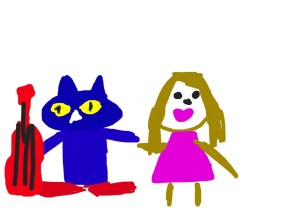
photo-14I encouraged my students to draw about their “wonderings” today in Doodle Buddy on their iPad.  There was good conversation among the groups of students and even though it is early in the school year, they are starting to understand and enjoy the opportunities to work in small groups and talk about their work.  Wondering encourages original thinking, thinking outside the box, and creativity.  When many adults look at a new piece of technology, such as an iPad, they think, “How do I use this?”  Kids look at the same piece of technology and think, “What can I do with this?”  They are curious and creative by nature.  As an aside, you will be interested to know that the above drawing was done by one of my students.  She said, “Mrs. Meeuwse, that is you with Pete the Cat.  Pete is rocking his school shoes and your lip gloss is poppin’ and I’m wondering where your shoes are.”  Hmm…I’m wondering where my shoes are as well.  And about that lip gloss….”poppin”?

There is no doubt there was some creative thinking going on there.  I love how the iPad allows us to explore many ideas and “wonderings”.  Yes…they could have just as easily drawn their picture on a piece of paper.  But then we wouldn’t be able to import their drawings into another app and “Explain Everything” in the near future.  One step builds on another.  We will start App Smashing very soon.

Look for ways to bring wonder in to your classroom.  Pete the Cat is a good place to start!

As Pete the Cat says:
“No matter what you step in,
keep walking along and
singing your song. Because it’s all good.”

Today we will do exciting new things.  Let’s get to it!

Getting Started

Who dares to teach must never cease to learn.  ~John Cotton Dana

photo-12Today was the day…iPad Day.  It was the 5th day with students.  I had been questioned about the iPads every day since day one. I knew they were excited and ready to use them but we had some procedures and routines to get under our belts first.  Front-loading procedures is a “must do” when it comes to introducing iPads to students.  Yesterday, I took their pictures with their iPad and set it as the home screen and wallpaper.  That way, we all know which iPad belongs to whom.

My assistant and I pulled over small groups of 5 and we showed them how to turn on the device, put it to sleep, navigate screens, and how to adjust the volume.  I keep all of my apps in subject related folders.  We opened the ABC folder and we worked with a couple of apps and then we put them to sleep and put them back in the iPad cart.  Wait..what? That’s it? Yes…that was it for today.  Tomorrow, we do a little more.  Each day will build on the day before. I’ve learned after 3 years of 1:1 iPads, that not only do the children need procedures, I need them as well.  It’s very tempting to embrace the idea of “Go big, or go home”.  Taking small steps early on not only keeps me sane, it allows the children to learn in manageable chunks.  I had a few students tell me today they already know how to use the iPad because they have one at home. We talked about how we need to learn how to use them at school also.  Going slow now, means we can speed up in September.

Before long, they will be masters of this device.  But since it is a powerful learning tool and not a toy, it is important we take our time in learning proper care and handling as well as digital citizenship.  It also takes time to integrate the device into the curriculum in a way that is meaningful and not just have “app time”. I want them to be creators of content and not just consumers.  This is why teachers won’t be replaced by technology.

So, we will forge on in the coming days. I’m excited about all of the possibilities. We will learn the names of our classmates and how to work, learn and play together as a community of learners. We will also begin the exciting world of a student-centered classroom that incorporates iPads in kindergarten.

Today we will do exciting new things.  Let’s get to it!
Endings and Beginnings

“This is a new year. A new beginning. And things will change.” -Taylor Swift

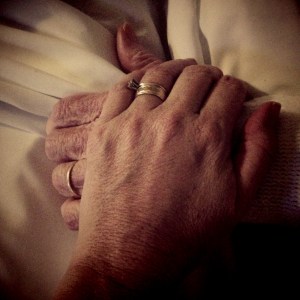
IMG_2070I’ve been away from my blog for a couple of weeks…in fact, I’ve been away from almost everything.  My father passed away this past week after an extended battle with cancer and I was soaking up every minute with him that I could.  Bits of reality intruded as we started back to school last week with professional development days.  I went to some, not all.  Some things are just more important.

This past summer has been a time of both personal and professional metamorphosis for me.  Maybe you’ve noticed a shift in my blog posts.  I’ve spent a lot of time questioning what I really believe about teaching and learning.  I’ve spent time reflecting on what true leadership is.  I’ve read excellent blog posts from fellow educators and had conversations with colleagues.  I’ve made decisions and I’ve made some changes. There are endings and beginnings.

As I pursue a student-centered classroom this year, I will be building on some of the things put in place last year. There will also be an ending to some things that have previously been part of my class.  Missing from my classroom this year, will be a formal calendar time, formal homework , a stoplight behavior management system, and stated classroom rules. The links provided explain why beautifully.  My students and I will create together and deploy a shared classroom vision.  From that, we will build our classroom Code of Cooperation.  I will be sharing these with you as we build them.  We are also going to build behavior rubrics so that students can rate themselves on how they felt they did that day.

I worked a lot last year on building in student voice and choice by having my students choose which app they wanted to demonstrate learning.  I will be continuing that this year and my students will be building digital portfolios using the Showbie app. I am excited that one of our favorite apps, Book Creator, is able to be uploaded to Showbie and easily shared with parents. The iPad and the creation apps we use, have been essential to creating a student-centered classroom.

medium_143860670My work and reflection this summer, in addition to spending an amazing week with my fellow Apple Distinguished Educators, were the threads to the chrysalis spun around me the past 9 weeks.  Woven in, were many quality moments with my ailing father.  As I begin to emerge from this cocoon this week and meet my new students, I bring with me the collective wisdom of many wise people.  I am certain of my path and am excited about new possibilities.  I’m also aware of just how very short this life is and it is too short to waste time using outdated, inefficient methods for educating children simply because change is too hard.  The butterfly is a great reminder of the beauty of change.  We should be more afraid of the effects of not changing!

My students arrive this Wednesday.  A new journey begins…

Today we will do exciting new things.  Let’s get to it!

It’s Personal!

You have brains in your head. You have feet in your shoes. You can steer yourself any direction you choose. You’re on your own. And you know what you know. And YOU are the one who’ll decide where to go…Dr. Seuss

Who doesn’t love some Dr. Seuss? I believe his book Oh! The Places You’ll Go! could almost be a manifesto for Personalized Learning!

IMG_2012In my last postI mentioned that I was building that Personalized Learning plane while I fly it.  I have been working on setting up data notebooks for my students and thinking a lot about how to approach it.  Each child is different and unique, therefore personalized practice is necessary for personalized learning.  Student ownership and use of their data is essential to maximize learning. With student-maintained data folders for academic and behavioral goal setting, we can have a shared monitoring of progress through conferencing. Since data drives my instruction, there will be ongoing personalization of instruction to help meet student goals.  For each skill, students will determine their goal and will maintain their goal sheets after each assessment.  These folders will be accessible to students all the time so they will always have access to their progress. The folders will originally contain the usual assessments we give in the beginning of kindergarten…letter identification, naming letter sounds, beginning sight words, number recognition, rote counting, and shapes.  As students master these early skills, we will move on to the next set of skills.  Each one moves on as he/she is ready.

I was already doing this the last few years with high frequency words.  As students demonstrated mastery of one list, we added to the list.  We continued to add words as their abilities increased.  The last 3 years, all of my students completed 100 kindergarten sight words.  Most finished first and second grade sight words and even a few more finished third grade words.  I stopped at 3rd grade because comprehension begins to break down at that point.

But wait…I teach kindergarten.  How in the world will these young children be able to handle keeping track of data folders?  It is all in the way you organize your environment for learning and the expectations you set.  By working with each student, they will learn to take ownership in their learning.  By shared monitoring, they will learn how to make adjustments in their goals and articulate what they are learning.  You see, the key concept here is that they will learn.  As my students learn to create content with their iPads and create digital portfolios of their workflow, they will grow in their ability to discuss concepts and ideas. 

Part of my job as the lead learner in the classroom is to teach them how to be a stakeholder in their learning process.  And yes…even 5 year olds can handle it! After all, “Things may happen and often do to people as brainy and footsy as you!”

Today we will do exciting new things.  Let’s get to it!

Packing for the Journey

Packing is my pet hate. -Seal

medium_5016464980Packing a suitcase…an activity that elicits a variety of reactions.  Under the right circumstances, it can actually be quite exciting and full of anticipation.  I tend to pack light, but always struggle over which shoes to bring.  Sometimes, it’s even hard to know where to begin because you want to pack all the right things and are worried about leaving something crucial behind.

A week from today, I will be flying to Austin, Texas for the Apple Distinguished Educator Institute. I will spend the week in extensive professional development and work with other ADE’s to create and share content.  I’ve been thinking about this since February 19th-the day I was chosen as an ADE.  I’m filled with excitement and anticipation over this opportunity.

Packing for the unknown can be a little unsettling.  I know the “big picture” schedule of activities while in Austin, but not the details.  Aside from the obvious packing of clothes, I am hoping that all of the tools and experience I bring with me will be enough.

Whether you are a teaching veteran or a rookie, I’m sure we can all relate to hoping that all that we bring to a situation, a classroom or activity will be enough.  That our suitcases will have all of the necessary things. Facing changing educational times and increased responsibility and accountability, it is easy to question what you bring to the party.

I think it is important to remember that while the “big picture”schedule can often be scary, we have others on this journey to help us along the way.  The items others have packed in their bags, in combination with our own, can be combined and shared to bring about change and success.

As I look at some of my “go-to” apps:  Explain Everything, Book Creator, Pic Collage, iMovie etc…I know that I will meet people next week who are using these in different ways than I am.  As we meet and collaborate, we will be able to share and learn from each other.  I also look forward to learning about different apps that perhaps I’m not using or haven’t heard about. I’m prepared to have my mind blown!

Take a look at your own suitcase.  What items are outdated and need to be thrown out?  Can you make room for new things acquired along the way?  These are questions I’m asking myself and I encourage you to think about as well.  I’m sure I will have a bag full of goodies to share with you when I return!

Today we will do exciting new things. Let’s get to it!

photo credit: Creative Commons

All A’Twitter

Dance like the photo’s not being tagged, Tweet like nobody’s following.-@postsecret

I like to think of myself as an early adopter of technology.  I like gidgets and gadgets even when I’m not sure what I will do with them.  I’m on Facebook, Pinterest, Instagram, Google + and Twitter.  I also read blogs by other educators who use technology such as TechChef4U and Matt B Gomez.  All of these help keep me current.

Image from Twitter

Image from Twitter

Having a Professional Learning Network (PLN) is so important for growth.  Whether you are resting and re-charging on summer vacation or you are in the middle of a school year, you are the lead learner in the classroom.  And…let’s face it, staff development given by the school district isn’t always on target or just in time.

While there are many social media sites you can be involved in, I’m going to talk mainly about Twitter today.  I joined Twitter a few years ago without really knowing what to do with it.  I lurked and read Tweets by local news outlets and some celebrities.  I didn’t tweet because I didn’t have any followers and didn’t know what I’d tweet about even if I did.  I wasn’t doing anything interesting ( I thought) and didn’t think anyone would care.  I really didn’t see the big deal and why people were all a’ Twitter about Twitter.  I felt stupid and definitely like I was missing something.

Once I started writing this blog, a friend suggested I start sharing it via Twitter and Facebook.  I said ok.  Soon, I started having some followers.  The more I blogged, the more followers I got.  That was pretty cool…except I was still missing the point of Twitter… and the bounty of knowledge of other educators.

Going through the Apple Distinguished Educator application process, I started following other ADE’s.  I also started following some of the people they were following.  I started reading their tweets and following some of the links they were sharing.  I was amazed at the wealth of information, apps, links and other information I had at my fingertips.  I had found a PLN that I could share information with and gain knowledge from.  It is like the corner convenience store…open 24/7 and always has just the very thing you need, plus some other things you didn’t even know you needed.

So, a few things you might need if you are not on Twitter or you are still lurking in the shadows:

1.  Use the hash tag # symbol followed by whatever topic you might be interested in.  I follow #edtech, #kinderchat and a few others.

2. Use the @ before someone’s name to find them.  For example, you can find me at @kristimeeuwse.

3.  You can post tweets, choose to favorite some tweets (that way you can refer back quickly), re-tweet or even direct message people.

4.  Keep it simple…140 characters or less and don’t go crazy with the hash tags.  Others may want to retweet you.

Many of the topics you choose to follow have scheduled chats you can join.  These are always full of good information.  Also, if you download HootSuite app, you can add several streams that you want to follow and look at them all at once.

Ok, so you say you don’t have time to do all you need to do plus keep up with all the social media demands.  I say find the time. Simmer down…you don’t have to check it everyday.  If you only do one thing, do Twitter.  Don’t worry if you don’t tweet much at first.  The more you read and learn from others, the more you will find you do have something valuable to add.

It seems the theme of many of my posts this summer trends toward the importance of continued professional development.  In the words of Ferris Bueller, “Life moves pretty fast, if you don’t stop and look around once in a while, you might miss it.” As educators in the 21st century, we can’t afford to miss much.

Give Twitter a try, or if you are already on, give it some more time and attention to grow your PLN.  It’s worth the time.

Today we will do exciting new things. Let’s get to it!

Using iMovie in the Classroom

When you make a film you usually make a film about an idea. -Sydney Pollack

I think almost everyone enjoys a good movie.  The cost of going to the theater, however, is becoming terribly cost prohibitive.  The last movie I saw in the theater was Lincoln.  It was a great film and it renewed my interest in the history of the Lincoln era and the Civil War.  Living in Charleston where the Civil War began, I am able to walk on the very cobblestone streets that Union and Confederate soldiers trod.

iMovieBringing topics alive to our students is difficult…especially historical topics that are far removed from our students day to day reality.  Looking at a Social Studies text with illustrations and images of historical figures isn’t always very engaging. iMovie is an app that can be used across all grade levels.   A 4th grade teacher in my school has her students use iMovie to demonstrate their learning.  A project on Abolitionists involved students using Book Creator to create a book on their chosen Abolitionist and many chose to create an additional project in iMovie.  Here is one student’s iMovie on Harriet Tubman:

Wow…this blew me away.  A nine year old created that.

Teachers can also use iMovie as a tool for introducing content in a meaningful way.  Students are far more likely to be interested in topics when introduced like this:

The fairy tale clips were downloaded from You Tube and inserted into iMovie.  The clips were trimmed and text frames were added.  In this movie, the clips are from familiar movies on which students can anchor their learning.  This 4th grade teacher uses this iMovie to introduce her thematic unit.  What a great way to grab students’ attention and engage them from the beginning.

While I have had my students create iMovies to demonstrate learning, it hadn’t occurred to me to use them for instruction and content delivery.  After these are created, students can access them and re-play them if needed for instruction.

I encourage you to explore iMovie from the instructional side. It will definitely be on my To-Do List for the fall!

Today we will do exciting new things. Let’s get to it!

Summer is Here…Now What?

There was nothing like a Saturday – unless it was the Saturday leading up to the last week of school and into summer vacation. That of course was all the Saturdays of your life rolled into one big shiny ball. -Nora Roberts 

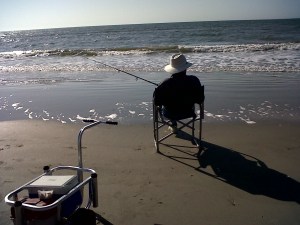
My daddy Surf Fishing

My daddy
Surf Fishing

I live in a pretty awesome place.  As a vacation destination, it has beaches and islands, golf, well-preserved architecture, historical significance, and incredible restaurants.  Charleston was also named “the most polite and hospitable city in America” by Southern Living magazine.  I have no trouble slipping into the slow and lazy pace of summer in the South.  I don’t know if it is Saturday or Tuesday.  Coming off a manic, over-scheduled school year, I’m ready to decompress.

So why am I doing staff development for  other school districts and working on conference presentations at ISTE and iSummit…could it be, that the phrase “everything I ever needed to know I learned in kindergarten” is wrong?  I believe you can teach an old dog new tricks.  Our world is fluid and things never stay the same.  Life-long learning helps us adapt to change.  When I work with other teachers in professional development and I speak at conferences, I am sharing my knowledge but I also learn from them.

Don’t we all get a good laugh when someone not in the know says something like, “It must be nice to have 3 months off from work and get paid for it.”  WHATEVER.  I’ve never had 3 months off in the summer in all of the years I’ve taught.  Summer is a great time for re-charging the old batteries, but it’s also a time for reflection, staff development, re-working lesson plans and PS…that classroom that was all packed up in June has to be un-packed and put back together in August.

I hope to soak up some sun and read some good books, but I also hope to learn from others at ISTE in San Antonio, work and learn from my fellow Apple Distinguished Educators at the institute this summer in Austin, and even though I’m presenting, I want to sit in on some sessions at iSummit in Atlanta.  I want to spend some time reading more on Personalized Learning. I want to read all of those great tweets from my PLN on Twitter that I just haven’t had time to look at.  When we stop learning, we become stagnant.  I want to take part in these learning opportunities so that I can go back to work in August excited and ready…because the work and energy we put into our students during the school year is exhausting.  I know there are times I have to dip into my “innovation and creativity reserves” just to make it through.

We spend 180 days (more in some countries), filling others.  Summer is a time we can fill ourselves.  There are few professions that have classroom hours, pre- and post-school hours, conferences and phone calls, weekend work, after-hours grading, professional development requirements, lesson planning, team meetings, extracurricular clubs and teams, parent correspondence, district level meetings, material preparation, and paperwork on top of paperwork.

Whether you are in the northern hemisphere enjoying summer, or in the southern hemisphere going into fall, I hope you will all find time re-charge.  Learn something new. I will be sharing with all of you the things I learn this summer, so y’all come back now, ya hear?

Today we will do exciting new things. Let’s get to it!
Daring To Ask “What If”

When the time came to leap in faith, whether you had your eyes open or closed or screamed all the way down or not, made no practical difference.- Lois McMaster Bujold

what ifWhat if?  At times, it is a question posed with wonder and inquiry.  Others, with anxiety and trepidation.  When asked in the hearts of  5 year olds,  it is often met with unconditional enthusiasm and willingness to try.  How do you feel about the “What ifs” in your life?

This has been a challenging year for me both personally and professionally.  In August, I was asked to consider applying for Apple Distinguished Educator.  My first thought was, “What if I don’t make it?”  Then, I allowed myself to think of “What if I do?”  Upon being chosen in February, my professional life changed almost instantly.  I have felt like a meteor hurtling through space…but in a good way. I have been brought into a whole new world of learning, collegiality, and absolute wonder.

I have watched my students daily ask themselves, “What if…” in their learning.  5 year olds are curious no doubt, even without an iPad.  The iPads have allowed us to explore that curiosity, touch it, read about it, talk about it, and create.  Having access to this seemingly simple tool has expanded their classroom beyond our four walls into a global classroom.  The ability to have choice in how they demonstrate learning has awakened even the least confident child and brought him into full flower.  Allowing my students to work at their own level with different sight word lists and reading levels has allowed them to go further in the last 180 days than they ever would have previously.collaboration 2

When I received the opportunity in January, 2011 to utilize 1:1 iPads in my classroom, I dared to ask, “What if?” Over the next few months and into the school year 2011-12, my “what ifs” grew and my students started asking their own ‘what ifs”.  What if I taught my students how to blog?  What if I moved away from the drill and practice apps and allowed my kids to create their own content?  What if I had different sight words lists and allowed them to move on when they were ready? What if I gave them the ability to plan their day and have some choice?

Who knew that just 2 1/2 years ago, when starting with iPads, I would have transformed my teaching to this extent and my students learning as well?  It amazes me even now.

I am wheeling my iPads down to storage in just a few hours as we close the final chapter of the 2012-13 school year today.  I am excited about the awesome staff development opportunities I have with my Apple Distinguished Educators this summer.  I can’t wait to see what new “What ifs” develop in August…well, after a summer vacation, that is…

Whether you are starting a new school term on the other side of the world, or ending this one, I dare you to ask “What if?”  Like the quote above says, whether you take a leap of faith or go screaming all the way, it makes no difference.  The difference comes in daring to try.

Today we will do exciting new things. Let’s get to it!

End of the Year Wrap Up

Waiting makes me restless. When I’m ready, I’m ready.-Reba McEntire

monster“Mrs. Meeuwse, my brain and my butt feel all jiggly.”…  And can’t we all relate to that? We have 7 days of school remaining and these kids are ready.  In fact, I’m not sure if the dinosaur drawing to the left is really a dinosaur or a portrait of me the last few days.  I may or may not be a little cranky…

To be sure, we are continuing our daily routine as much as possible for as long as possible.  We are busy readin’ writin’ and ‘rithmaticin’ daily.  The problem is these brilliant kindergartners are-Caps Lock- DONE,  ready to move on, needin’ to bounce, DONE.

So, in order to preserve my sanity, I came up with the idea that we needed to work on a project.  An end-of-the-year-what-have-I-learned project.  The idea was well received and they quickly wenthope and ella to work sketching out their plan.  They still like to make their plans on paper.  They have the choice of how to present their project.  Some are choosing Explain Everything, some, iMovie, some Book Creator and some Pic Collage.  I needed to intervene only once…a loud chorus of “None of your business!” rang out from a group of girls working together when a rogue boy intruder came by to see what they were doing.

Waiting makes me restless.  It definitely makes 5 and 6 year olds restless. When they are ready, they are ready. What better way to wrap up the year, than to have students share what they have learned?  Some are still working on their projects and it may go on through the week.  Here is one group that made an iMovie. They planned out their script and did it all themselves.  They are already talking about what they want to add to it. They said this is their “rough draft”.

We will have a sharing time so that all groups can show their work.  Some chose to work by themselves on the project and that’s ok too. Sometimes you feel like a nut, sometimes you don’t.  What matters, is that even up to the end, we are working together and students have the ability to choose. When teachers find ways to nurture these inner motivational resources, they adopt an autonomy-supportive motivating style.

All of that to say…the count down is on.  The natives are restless and we need to stay busy.  An end of the year project is just what we need to get us through the crazy.

Today we will do exciting new things. Let’s get to it!