Using iPads to Work and Learn Together

Coming together is a beginning; keeping together is progress; working together is success. -Henry Ford

Ah yes….working together….I can’t help but be reminded of the the preschool song “the more we get together the happier we’ll be”.  Working together, planning together, and achieving goals together is a beautiful thing.  It is not, however, something that is always done easily and it does require planning and effort.

We have been diligently working and planning together in our class.  Besides working on instructional goals, we are also working on our soft skills.  It is never too soon to work with children on their “EQ”…emotional intelligence quotient.  These are the cluster of personality traits, social graces, communication, language, personal habits, friendliness, and optimism that characterize relationships with other people.  They complement hard skills.  Learning these skills now help transition them into adolescence and adulthood. In today’s world,  soft skills relate to a person’s ability to interact effectively with coworkers and customers and are broadly applicable both in and outside the workplace.

That being said, it takes time and planning to build community in a classroom full of egocentric 5 year olds.  We have been working on planning our day, working together on activities and projects as well as sharing with each other our completed work and work in progress.  This involves listening to each other, offering praise and helpful suggestions (helpful being the operative word).  This takes modeling and practice!

This week, we shifted from writing the plan for our day on a PDF on our iPads to actually typing it in the Notes app.  This has been very efficient and the kids feel “grown up” making a real list by typing.  They have their 5 “must do’s” listed on the Smart Board and they choose the order in which they want to complete them.  Currently, I am assigning the apps, but soon they will be choosing which apps to use to complete the assignment.  smartboard captureThe picture cues to the right assist them if they forget as they move through the day.  Kids are working individually, in pairs, or small groups by their own choice all throughout the day.

Here is a sample of the word work created on this particular day in the Magnetic Alphabet app.  The kids take a screen shot when finished and upload to Showbie for me to check later.

magetic abc workHere are 2 Pic Collage examples from a different day using the vocabulary words “mitten” and “cold”.
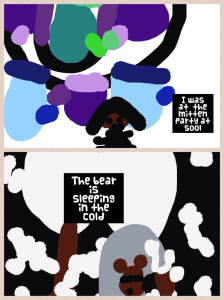
cold pic collage

Mitten pic collageOnce the students draw their pictures in Drawing Pad app, they save to their camera roll and upload into Pic Collage.  They then type the sentence using the vocabulary words for each picture.  They save it and upload to Showbie.

This schedule allows for a lot of collaborative time with each other and with me.  I am able to conference with children, assess, work with small groups and facilitate all throughout the day.  Because students have many opportunities to work collaboratively and interact with each other, we can practice modeling those soft skills we are learning about each day.

By setting up the classroom environment to reflect the values of learning through choice and collaboration, students are able to learn valuable skills that will carry them into the future.

Today we will do exciting new things.  Let’s get to it!
Building Vocabulary with iPads

Vocabulary is a matter of word-building as well as word-using. -David Crystal

We are in transition…in the process of moving from our choice board centers to more content creation centers.  This will take us a couple of weeks to migrate over to that system.  I will write more about this as we go, but for now, we are  adding various components daily that will be a part of our day.

How do you know when it’s time to change?  Every class is different and some can handle this change sooner than others.  I have a few signs I look for.  I look to see if the students are able to work more independently on iPad activities involving creation apps (such as Pic Collage and Explain Everything).  I also look to see if they are mostly able to upload their work to our digital portfolio app, Showbie independently.  But the real indication that really spurs me to move to the next phase in centers is they are driving me freaking crazy in the ones we currently have.  Even with frequent changing of manipulatives, activities and games, they suddenly stop using them purposefully.  Unifix cubes are no longer being used to pattern.  They are becoming light sabres and swords, or guns that attack others. And I am on the verge of yelling, “C’Mon Man!”  When you begin to feel the crazy creeping up and you want to retreat into the bathroom for an hour of sanity, it’s definitely time…and  I’m apparently the grown up and something has to give.   🙂

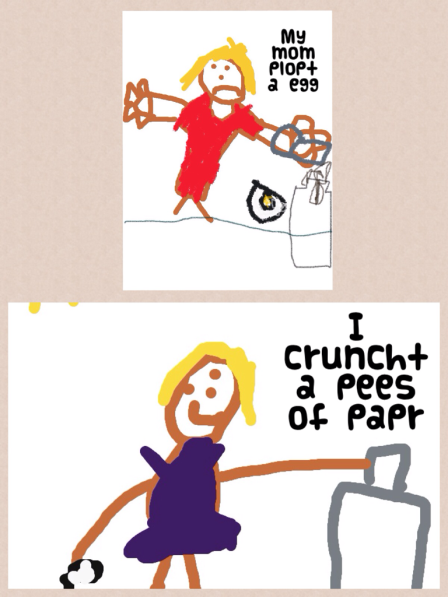
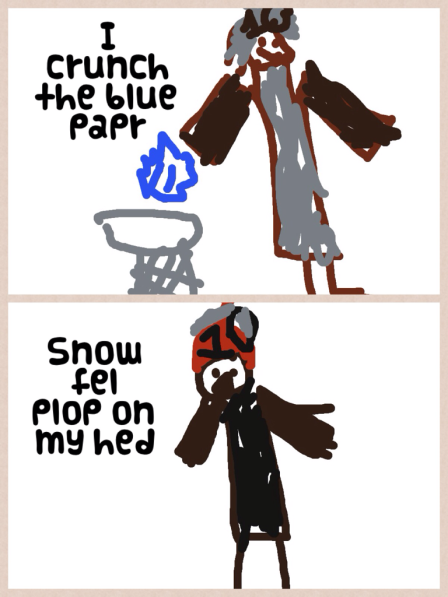
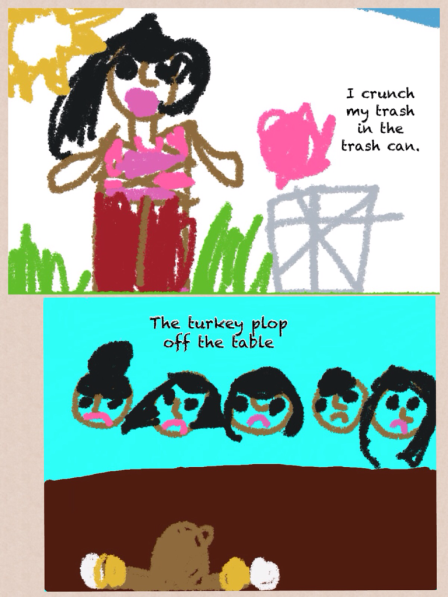
So to get ready to transition, we start working on vocabulary.  This will be one center the students will have once we move away from the choice board.   This week we are reading The Snowy Day (appropriate and all polar vortex-y).  This is our mentor text while we talk about onomatopoeia.  We talked a lot about the words “crunch” and “plop”.  These words in the story relate to snow, but we don’t get snow here.  We thought of other things that can crunch and plop.  The next few days we will work on just 2 words but we will eventually move to 4 vocabulary words each week. These words are usually unit related.

The students took these 2 words, crunch and plop, and drew a picture for each.  It was saved to the camera roll, then uploaded into Pic Collage.  The students then wrote a sentence to go with their pictures using the vocabulary word in the sentence.  The finished Pic Collage was saved to the camera roll and uploaded to Showbie.

Here are a few examples:

Vocab Pic Collage 1

Vocab Pic Collage 4Vocab Pic Collage 2

Working with onomatopoeia is fun and a good way to start introducing vocabulary to young students.  As students become more proficient in their learning and in their ability to handle more responsibility, moving into more robust content creation is a logical next step.  And don’t we all have those really bright students for whom we just can’t dig deep enough for their requirements?  This type of activity allows them the freedom to move and groove on their own.

The best part of student-centered classrooms is giving them the ability to soar when they are ready.  We are always moving toward more student voice and choice.  I mean, no one wants to listen to my big talky head all day.

Stay tuned.  We are on the move!

Today we will do exciting new things.  Let’s get to it!
Kodable in Kindergarten

When people think about computer sciece, they imagine  people with pocket protectors and thick glasses who code all night.-Marissa Mayer

This week is the “Hour of Code” week.  Students from kindergarten through 12th grade are learning computer code through online tutorials.  This campaign is a push by President Obama, Mark Zuckerberg, and Bill Gates in an effort to create interest in computer science in students in the U.S.

Not one to miss out on all the fun, we found a great app for coding in kindergarten called Kodable.  Kodable is designed for children ages 5-7, but I will say that I know a few grown-ups who have spent an hour or three on it. There is a free version of the app and the Pro version is .99 in the App Store.  Here is a screenshot of Kodable Pro:

KodableappThe object is to program the fuzzy ball to move through the maze to eat the coins by putting the arrows in the correct sequence.  My students were immediately engaged.  Their conversations were analytical and full of strategy.  They worked on this app for 45 minutes and were upset when they had to stop.  What surprised me was how quickly some gave up and how others persevered.  Actually, I should say I was surprised at who gave up and who persevered.  It was not at all as I thought it would be.

Why code?  Well, why not?  It’s always been widely accepted that it is easier for children to learn a foreign language when they are young.   Using these devices is as natural as speaking to our students. Why not let them learn a computer language?

After my students worked diligently on Kodable yesterday, today we took it a step further.  They created a code that needed to be solved by a friend.  They drew the track for the fuzzy ball and had a friend sequence the arrows to correctly move the ball.  First they designed the track, then they added the coins to be obtained, and finally, they drew the number of boxes at the top for each arrow to be placed in sequence.  This means the student had to go back and count for themselves how many turns were needed in order to know how many boxes to draw.  Here are a couple of samples:

coding1

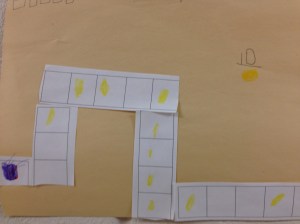
coding2Once it was created, they passed it to a friend who then drew the arrows in the boxes provided to show the correct order.  The friend also had to count the number of coins earned and write the number on the sheet.  They loved this!  Seeing their enthusiasm, I printed out some pre-made track and put it in the math center.  This way they could cut and build their own if they wanted without having to draw.  Here is one a student made at the math center:

coding3

The track was the length of a sheet of paper.  They could cut and edit how ever they chose.  This one had 10 gold coins.

Kodable was a great find.  I am sure we will be working on coding for much longer than this week dedicated for it.  My young inquiring minds are eager to continue and there’s not a pocket protector anywhere to be seen!

Today we will do exciting new things.  Let’s get to it!
Word Work and iPads

Teaching reading IS rocket science! -Louisa Moats

I’ve probably used this quote before…but it certainly bears repeating.  We are immersed in literacy activities all day long in our classroom and it is starting to bear some fruit.  Nearly all students are reading and we are 75 days into our school year.

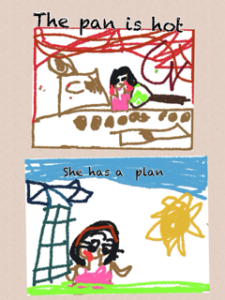
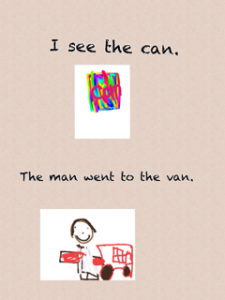
Since we follow the Reading and Writing Workshop Models daily, we spend a lot of time doing word work activities.  We have been working diligently on word families and rhyming words.  We have used our iPads quite a bit to do this word work. The Magnetic ABC app has worked well in making words together in small groups.  We have also done a little app smashing with Drawing Pad and Pic Collage.  Here are a few samples from that:

photo 3photo 2-2

photo

At the risk of being Captain Obvious, we were working on the -an word family.  They were able to choose 2 words in that family to illustrate in Drawing Pad.  They saved those drawings to the camera roll then uploaded them into Pic Collage where they typed a sentence with each word.  After saving the Pic Collage, they uploaded it to Showbie for their portfolio.

This relatively quick activity ( 30 minutes start to finish) will be a building block for when the children move into planning their own day and they have vocabulary words for their word work.  These 2 frames will eventually become 4 in Pic Collage.

What are the challenging parts right now?  We are still working on using the space bar between words when typing.  Back spacing and starting again provides an almost miraculous cure to that!  A few still need guidance in saving their Pic Collages to their camera roll.  Other than that, they are rock stars!

Word work is an important part of early skill building in literacy.  We play many quick games daily both on the iPad and in small skill groups.  Word Work helps them become better readers and writers.  If you are unfamiliar with the components of the workshop approach, I encourage you to read Lucy Calkins’ books.  These are easily found online and are great resources for the Reading and Writing Workshop models.

The difficulty of teaching reading has been greatly underestimated.  It is a complex process and requires a repertoire of strategies.  The iPads are providing me with another tool in my toolbox to reach all of my young readers!

Today we will do exciting new things.  Let’s get to it!

Braving Technology in the Classroom

Do one thing every day that scares you -Eleanor Roosevelt

spiral stair caseWhat scares you? I’ve recently decided I’m afraid of open heights…you know, high places with very little barrier, or steep steps with open spaces in between where I can look waaay down…I usually make my husband go in front of me and I hold on to his shoulder, or else I get stuck right there!

This wasn’t always the case.  It has developed only recently but it’s still a strong fear.   I feel ridiculous talking about it because it seems so silly but my heart races and I feel all panicky when faced with a situation involving high open spaces.

In the classroom, we’ve spent a lot of time talking about being brave and what that means.  It could mean trying something new, speaking up when we aren’t sure of the answer, facing a bully, or doing something by yourself.  All of these can be daunting when you are 5 years old.  I’d venture to say some of these are daunting to adults as well.  My students are beginning to ride their bikes without training wheels these days and many come in reporting about their bravery in this feat.  Their pride is quite evident when it seems they’ve conquered something new.

Of all the scary things in their big, wide worlds, technology isn’t one of them.  A recent visitor went to one of my students and asked him about how he learned to do all of the things he was doing on the iPad.  He looked at her quizzically and said, “I didn’t learn it, I just do it.”  So Nike’s theme aside, “just doing it” seems to be how they all think about using this device.  It’s no big thing.  So why are the adults all standing on their heads about teaching kids how to use the device?  Possibly because we see the device in a different way than they do.  Obviously, we need to teach responsible use and digital citizenship, but I do not teach my class as a whole group how to use apps.  I work with a few students in a small group and they usually end up working with each other and helping each other.

illusionMany of you have seen this illusion  where you have to determine if it is an old woman or a young woman.  Some people have difficulty seeing the image as 2 different images.  I found that I saw the old woman first and then saw the young woman later.  I also found that once I saw the young woman, I had difficulty seeing it the other way without really concentrating on that.  As educators in connected classrooms, we have to be able to adjust our vision and see as our students do.  If we only see the “old woman” in the photo, we are missing out on the possibilities of the “young woman”.  We can’t be credible to our students if we are singularly minded.

Change is scary.  By keeping our eyes forward, not looking down or back, and letting go of the handrail, we can navigate that big open staircase.  It also doesn’t hurt if there is someone in front of you to hold on to…

Today we will do exciting new things.  Let’s get to it!

Making the Most of Small Moments

Life isn’t a matter of milestones, but of moments. -Rose Kennedy
snailI don’t do critters…creepy crawly, slimy, or slithery.  So when my students found this guy at recess yesterday, of course, they were fascinated.  I had to admit, he was pretty spectacular in a disgustingly slimy way.
Their intrigue, however, brought about some pretty awesome conversation and some creativity later.  They immediately asked questions like, “Is it a snail or a slug?”  “What does it eat?”  “Does it keep its shell or outgrow it?” “Is it helpful or a pest?”   Then came this little gem from a child…”I wish we had an iPad out here to take its picture for the science center.” Silence for a moment.  In that moment of silence, I’m thinking, “Me too…it would make a great picture.”  Suddenly, a child says, “Mrs. Meeuwse has an iPhone (awesome brand identification for a 5 year old).  She can take a picture of it and print it out!”  Huh?  Oh yeah…I DO have a phone! I quickly snapped a photograph and then many started asking if I could send it to their iPads with Showbie…And then I was asked if I could “text the picture” to their parents.  Several wanted them to see it.  In our quick 25 minutes of recess, about 20 was spent with this snail.
During all of the activity, I was preoccupied with their questions and getting a good picture, making sure the creature wasn’t injured or touched, etc…but afterward, I reflected back on that moment and was struck by my students’ thinking.  The immediate thought of including technology…using my phone to take a picture, putting it on their iPads with Showbie, texting the image to their parents…technology was at the forefront of their thoughts.  It was not an afterthought.  It was how these 5 year olds solved their questions and problem-solved in the moment.
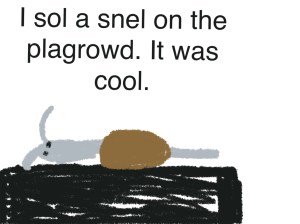
Later in the afternoon, many chose to draw the snail in art and write about him in the writing center.  Here is one example from the iPad:
snail drawing padThe child used Drawing Pad and saved it to his camera roll.  I used Simple Transfer to get it off his iPad on to my laptop.
Our thematic unit this week is Pumpkins and how they grow…but  yesterday, we took a detour and talked about snails.  The questions, vocabulary, and engagement were just too good to shut down at the end of recess.
I don’t necessarily recommend taking a detour every time the opportunity appears, but by being open to small moments in your day and allowing students to lead the way in their wonder and discovery, we begin to create students who think deeply.  I am always amazed at the complexity of a child’s mind and yesterday was no exception.  I was reminded just how naturally they incorporate technology into their lives and how curious they are about living creatures.  By being present in that very small moment, I’m certain I learned more than they did yesterday!
Today, we will do exciting new things.  Let’s get to it!

Creativity and the iPad

Children see magic because they look for it. -Christopher Moore

“Stop acting like a child.”  How many times have you heard that or said it?  The implication is negative, the behavior undesirable.  Why is it that society has deemed being child-like as a bad thing?  Certainly, some childish behaviors are less than desirable but children have unique vision that adults seem to lose as we age.

IMG_0722Part of that ability to have imagination comes from not being afraid to be wrong.  Creativity and imagination spur innovation.  What if we could organize and prepare like an adult but think and create like a child?

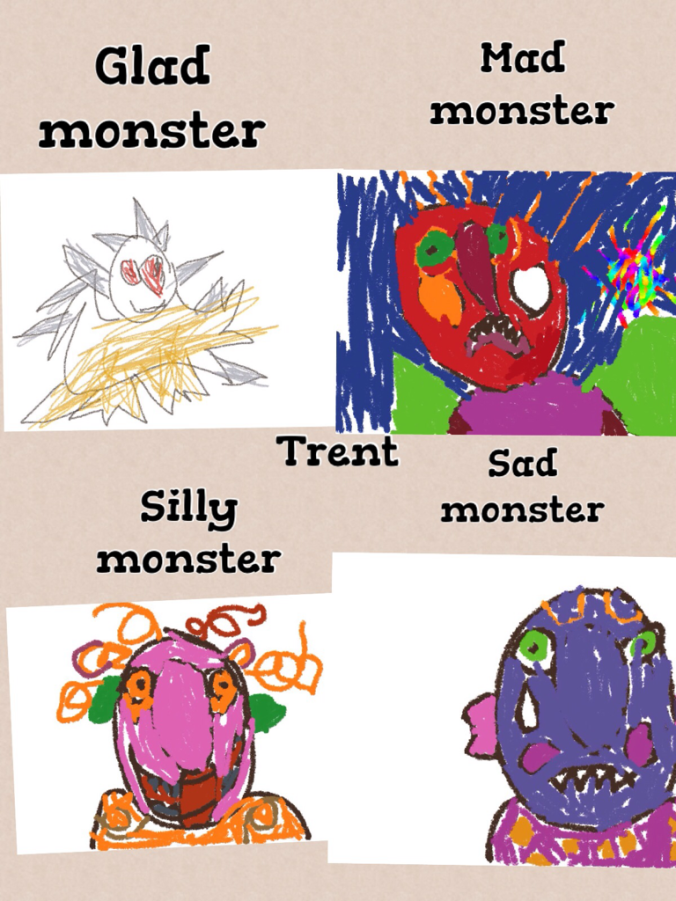
We just finished a fiction unit on Monsters.  We had fun reading several fiction stories such as Go Away Big Green Monster  and Glad Monster, Sad Monster. The children’s conversations in centers and in various activities were filled with imaginative scenarios involving monsters all week. This was also a great time to incorporate feeling words and describing words into our mini-lessons.  As we made anchor charts with some of these words, the children could refer to them all week in their reading and their writing.

Children are so adept at pretending.  They are missing those filters of self-IMG_0724consciousness that adults have so firmly in place.  Adults often feel they “aren’t creative” because they have become so adept at avoiding being wrong. I love listening furtively to the conversations that go on in our housekeeping center.  The social skills developed in this center are invaluable.

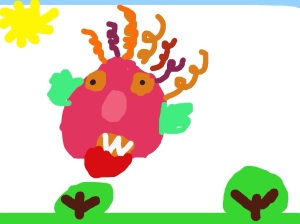
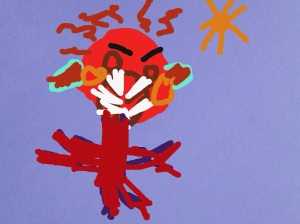
As we worked on our monsters all week, we created our own “feeling monsters” in Drawing Pad, then uploaded them into Pic Collage. Some even went a step further and uploaded their Pic Collage into Explain Everything. (We have finally started our App Smashing!)  The iPads allowed us to create and innovate as we added some voice to our writing all week.  IMG_0725

All of us, adults and children alike, have the ability to use our imaginations. We tell others, you can do anything you set your mind to…but do we believe it about ourselves?  Imagination isn’t just thinking outside of the box.  It is acting on those “what if’s”.

In educational times of increased non-fiction requirements, we enjoyed taking a break and delving into monsters.  Instead of writing them off as not-real, my students embraced the opportunity to pretend, create, write, and explore “monstrous” possibilities.

We love using our iPads as creation tools.  The only limitation is our imaginations.  My students found theirs to be of “monstrous” proportions!

Today we will do exciting new things.  Let’s get to it!
Making Your Mark With iPads

Do not go where the path may lead; go instead where there is no path and leave a trail. -Ralph Waldo Emerson

medium_4176075327Well, we missed it.  International Dot Day was September 15th.  Better to be late than not go at all, we celebrated making our creative mark this past week.  It came at a good time.  I’ve been hearing a lot of “I can’ts”  lately.  If you are unfamiliar with the story of The Dot by Peter Reynolds and International Dot Day, you can check it out here.  In the story, Vashti is an uninspired student who feels as if she can’t draw.  Her teacher encourages her to be brave enough to “make her mark”.

Leaving our mark is a lot easier than we think.  We make it hard.  We resist and tell ourselves we aren’t smart enough, creative enough, talented enough, rich enough…but what if we took a page from Vashti’s playbook and just tried?  As educators, we make lasting marks with every child we teach.

As we started using iPads in our classroom in 2011, there was no real path to follow.  We trail blazed our own.  There were a few bumps along the way, but we believed in what we were doing.  We started with our own “dot” and it has transformed the way we do everything. It has transformed the way we think about everything.

So back to our dot project…after reading the book, we used our iPads to create our own dots in our Drawing Pad app.  (We usually use Doodle Buddy, but they have not updated the app lately and it doesn’t work very well with the new iOS 7 update.) The kids uploaded their dots to Showbie and I then downloaded them all on my iPad and put them into Book Creator.  As you may know, my love  for Book Creator is epic.

Our finished product is here:

The Dot

The great thing about Showbie is there are “shared folders” with each assignment.  After I created the class book in Book Creator, I uploaded it back to the shared folder in Showbie.  This made the book available to each student and all they had to do was download it into their iBooks.  Now each student has a copy of our class book in their iBooks shelf.  They have loved looking at each other’s work and are definitely proud of their own.

You know, a lot has changed for me since I said, “yes” to iPads 2 1/2 years ago.  I never dreamed I would be doing the things I am.   I chose to try and make my mark by creating a student centered classroom infused with technology.

How are you making your mark?

Today we will do exciting new things.  Let’s get to it!
Dot photo credit 

Parents and iPads

Let’s give them something to talk about. -Bonnie Raitt

medium_3610488258Have you ever been consumed with something?  You know, a project or idea that dominates your thoughts, dreams, conversations, lesson plans…When we are so immersed in something, we know every facet, every detail, every scintilla of it.  We assume that because we know all about it, that others should as well and we are a little nonplussed when they don’t.

I’m referring to our school wide use of iPads.  We have had iPads in a 1:1 setting since January 2011 in 3 classrooms and school wide since the 2011-12 school year.  We incorporate them into our daily activities.  We use them all throughout the day.  Our kids are engaged and excited.  We’ve had a technology night to showcase for parents what some of our classes are doing.  Surely, there is no question of HOW we use these amazing devices.  Except, there are.

An independent consulting firm issued parent surveys to gauge the level of support.  This survey asked what parents liked best about the use of iPads in the classroom and if there is anything that could be improved on.  Several surveys, more than should have, came back with parents saying they aren’t really sure how the iPads are being used.  They didn’t know enough about it to comment.

Well, ouch.  That hurt.  Our first reaction was, “Of course they know! How can they not??” Then with a little time and objectivity, we decided that we needed to do a better job of letting our little light shine.  We needed to be more intentional about including parents in the conversation.  We needed to give them something to talk about!  It was decided that we will have a monthly newsletter highlighting what’s happening with iPads at each grade level.  Here is our first:

ipads at dhes September 2013_1

This will go home in each class newsletter, be featured on our school website, and printed out and made into posters for each of our main hallways.  Teachers will also be more focused on communicating not just the “what”  by the “why” so parents can see value and be more closely involved in the process.  Yes, this is all common sense but it is easy to assume we are all engaged in the same conversation when we really aren’t.

Involving all stakeholders in a large project like this is critical.  I realize that I could stand on my head and eat a bug but that doesn’t mean everyone will get the information.  We will always have people say, “I never knew…” but by being more intentional in the curating and sharing of the good news, we are partnering in the best possible way with our students’ very first teacher…their parents.

Today we will do exciting new things.  Let’s get to it.  

PS:  Big shout out to Lisa Bevans for creating this awesome first parent newsletter!

Flickr photo credit

Collaborative Work Spaces

Unity is strength… when there is teamwork and collaboration, wonderful things can be achieved. -Mattie Stepanek

medium_4264216476So I’ve been thinking a lot lately about collaborative spaces and their importance and relevance in learning.  Early childhood classrooms are collaborative by nature and the furniture provided in these classrooms allow for students to be in small groups.  But what about other grades?  Why is this important?

Think about your recent professional development experiences.  Were they in a classroom somewhere with desks in rows or were you at tables where you could easily see your table mates?  By their very nature, desks in rows inhibit conversation, eye contact, and community.  Plus, they are not very comfortable.  I start squirming after a short time in these seats.  The times I’ve been in PD at tables, it is immediately possible to engage in conversation, share, and build relationships.  It just feels better and more personal.

Our students are no different.  They need the ability to learn from their peers, to question, to share, to feel safe in a group and not feel isolated.  When we use collaborative groupings with tables, we are saying we are a community.  We learn from each other and I, as the teacher, am not the sole disseminator of knowledge.  The room arrangement instantly, and silently, shares your values as an educator.

As we use iPads, students are immediately collaborative.  They want to share what they’ve done, and in doing so, their peers are able to participate in the collective wisdom of the group.  Collective wisdom…so important for students and adults.  The saying, “It takes a village to raise a child” applies to many aspects of growing children.  No where in that saying does it say “the village” has to all be adults.

As an adult, when I have to learn in isolation, I find myself sometimes feeling anxious.  Especially if the concept is complicated.  I may even feel like I just don’t get it…what’s wrong with me?  Everyone else seems to get it.  In collaborative learning, I might find that others don’t understand either.  This immediately relieves anxiety knowing I’m not alone.  As a team, we figure it out together.   All students, from the smallest to the tallest, need to feel safe and supported in learning new content.  By having the ability to work collaboratively, in a space that supports collaboration, students are more likely to take risks.

IMG_2156My classroom has many collaborative spaces.  There are tables that seat 4 and 6.  I’ve pushed 2 rectangular tables together for a larger collaborative space.  There are rugs and pillows on the floor that allow students to spread out and be comfortable.  As I stated earlier, early childhood classrooms are equipped for collaboration.  I recently saw this video on Edutopia showing how a middle school teacher used what was already in his classroom to make the space more collaborative for his 35 students.

Take a good look at your classroom design and see what it says about what you value as an educator.  Student input is also valuable.  What changes can you make to increase collaboration and student engagement?IMG_2176

Today we will do exciting new things.  Let’s get to it!
student desks photo credit: Creative Commons