Creating Digital Portfolios

All I really need to know… I learned in kindergarten. -Robert Fulghum

We started our digital portfolios today.  We knew by the end of last year that we really needed a systematic way of curating student work.  It was important that we be able to share it with parents but it was of utmost importance that it be simple enough for everyone…especially our kindergarten students.  I mean, let’s get real…if I have to touch every iPad to save student work, it just isn’t happening.

Showbie-238x300We went with Showbie.  Showbie allows you to set up your classroom and create assignments for students. When students submit their work, it is organized by assignment.  You can see which child has submitted work and which one hasn’t.  You can even add annotations, voice notes or written notes on the assignment and send it back.  It is very easy to use and individual student work can be emailed to share with parents.

Today, I added our first assignment.  It sends a brief alert to the individual iPad so students can see there is a new assignment.  This is great for older students. My students used Pic Collage and they were asked to choose a number between 2-9.  They added a text box and typed in their number.  Then they added the number of stickers that corresponded with their number.  After the stickers, they added another text box so they could type their names.  Lastly, they learned how to save their work to their photo roll on the iPad.

Library PhotoThey did very well with this activity.  The next step involved going into their Showbie app.  We did this together.  I used Reflector to demonstrate step-by-step on the Smart Board.  When the students opened Showbie, they simply clicked the “+” symbol, then chose their camera roll and then their Pic Collage work sample.  As easy as that, it was uploaded.  The entire activity from start to finish took 25 minutes.  I was then able to email the work samples to parents to share with the their first work sample in the digital portfolio.

The digital portfolios will certainly help us keep things organized and use a lot less paper.  Just as an aside, my school saved over $21,000 in paper, copies, and ink cartridges last school year.  By using digital portfolios, student work is preserved over longer periods of time.

I’m excited about the creation of these digital portfolios.  It will be a great way to organize, view and share student progress.  As we progress through the year, it will also be a great way for students to use their own voice and choice to showcase their work.  I will provide the stimulus.  They will choose the means in which they demonstrate their learning.

Today we will do exciting new things.  Let’s get to it!

Procedures and iPads

“It is greater work to educate a child, in the true and larger sense of the world, than to rule a state” -William Ellery Channing

Well, if this quote isn’t the very truth, I don’t know what is.  As we have exited our honeymoon phase in our class, the real work has begun.  We are making good progress in many areas, and needing to back up and start over in some others.  Veteran educators know these first 6 weeks are procedures, procedures, procedures.  The mistake is when you cut this time short thinking everyone has it.  And. They. Don’t.  Oops…

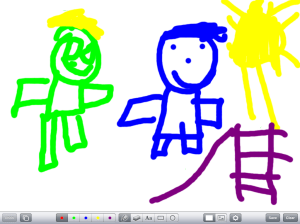
IMG_0005We worked really hard the first 10 days on our Code of Cooperation.  We still review it daily.  We have talked extensively about what the expectations look like.  My students used our White Board app on their iPads to illustrate some of the expectations. As they made their illustrations, they shared with their groups which expectation they chose and what their drawing represented.  It was gratifying to hear them incorporating the language we used in creating the code in their discussions.  Note all of the happy faces in their illustrations…wouldn’t it be awesome if we were always so smiley??

IMG_0003

Through our continued discussions on our code (and by continued, I mean my 15,624 references to it daily), we have discovered that we omitted some things.  In our morning meeting, someone said, “We left iPads off of our Code of Cooperation.”  We discussed what we should do about that and what we should add.  Many ideas were thrown out there, but my personal favorite was the one who suggested we add, “Do not pick your nose and then touch your iPad, because that is totally gross and disgusting.”  Can I get an amen, sister?  But of course, we went with the more politically correct, ” Use clean hands on your iPad.”  The others, while less exciting, were no less important:  carry with 2 hands and be gentle.

So, as we forge on through these first 6 weeks and instill routines and procedures, don’t cut them short, no matter how tempting.  It makes life a lot easier in the long run and allows your students to really take charge of their learning environment once all expectations are understood and owned by everyone.  We are adding iPads to our centers this week, which increases student voice and choice in their learning.  We will be adding some new procedures as we do this.  Remember, teaching IS rocket science.  It can be difficult, messy and exhausting…but with proper attention to procedures in the beginning, the rest of the year will be a real blast!

PS…If you care to check it out, I am featured on the Apple Education website!

Today we will do exciting new things. Let’s get to it!
Creating a Code of Cooperation

“Can’t we all just get along?” -Rodney King

So we’ve just finished 8 days of the new school year and to my utter shock and disbelief, it took 7 of those days before it happened. I waited each day, bracing myself for it to occur. The. First. Tattle.

IMG_05797 whole school days. Shocking really, when you think about a class of 5 year olds. It came just in time. We finally finished our class Code of Cooperation. This code is created along with my students as an agreement of what we believe a good classroom looks like. The children brainstormed a chart full of ideas and each day we talked about those things, narrowed them down, combined like ideas and finally settled on four things. 1. Put things where they go. 2. Be nice to others an share. 3. Listen and do what you are asked to do. 5. Try your best. We discussed what each of these things look like and the students suggested pictures that would match the concept. We came up with 2 pictures of each. The students will add a few sticky notes next week as they come up with more refinements. They already decided we need to identify what it means to be nice. Someone said to use kind words. That will go on a sticky note as an addition.

I guess I actually misspoke above when I said we “finished” it. It is never really finished. We will make additions and changes throughout the year as we go. It is a “living, breathing” agreement. The children all showed their commitment by signing around the periphery of the poster. When students have voice in how they will interact in their learning environment, there is true ownership. They are able to monitor their own behavior and rate how they did. This also creates accountability. I am not the sole monitor of their behavior. We will talk about the code daily and review our commitment to it.

This week, we will use our iPads to draw pictures of what each of the expectations looks like. They will share their ideas with their groups and we will work on how we will address those who choose not to follow our code. We will also work on how using the iPads fit into our Code of Cooperation.

When students have voice and choice in their learning and their learning environment, they become stakeholders. Even 5 year olds understand what it means to choose and to have their choices heard. Aren’t we all a little more cooperative when we have had a say in a process? The pictures we have and the ones we will add also create a visual reminder of what we agreed upon.

As a class, our shared vision is that we will work and learn together. By breaking that down into its components, we now have a working agreement that will serve as a guide for this school year.

Hopefully, it will reduce some of the tattling too. 🙂 One can always hope…

Today we will do exciting new things. Let’s get to it!

Getting Started

Who dares to teach must never cease to learn.  ~John Cotton Dana

photo-12Today was the day…iPad Day.  It was the 5th day with students.  I had been questioned about the iPads every day since day one. I knew they were excited and ready to use them but we had some procedures and routines to get under our belts first.  Front-loading procedures is a “must do” when it comes to introducing iPads to students.  Yesterday, I took their pictures with their iPad and set it as the home screen and wallpaper.  That way, we all know which iPad belongs to whom.

My assistant and I pulled over small groups of 5 and we showed them how to turn on the device, put it to sleep, navigate screens, and how to adjust the volume.  I keep all of my apps in subject related folders.  We opened the ABC folder and we worked with a couple of apps and then we put them to sleep and put them back in the iPad cart.  Wait..what? That’s it? Yes…that was it for today.  Tomorrow, we do a little more.  Each day will build on the day before. I’ve learned after 3 years of 1:1 iPads, that not only do the children need procedures, I need them as well.  It’s very tempting to embrace the idea of “Go big, or go home”.  Taking small steps early on not only keeps me sane, it allows the children to learn in manageable chunks.  I had a few students tell me today they already know how to use the iPad because they have one at home. We talked about how we need to learn how to use them at school also.  Going slow now, means we can speed up in September.

Before long, they will be masters of this device.  But since it is a powerful learning tool and not a toy, it is important we take our time in learning proper care and handling as well as digital citizenship.  It also takes time to integrate the device into the curriculum in a way that is meaningful and not just have “app time”. I want them to be creators of content and not just consumers.  This is why teachers won’t be replaced by technology.

So, we will forge on in the coming days. I’m excited about all of the possibilities. We will learn the names of our classmates and how to work, learn and play together as a community of learners. We will also begin the exciting world of a student-centered classroom that incorporates iPads in kindergarten.

Today we will do exciting new things.  Let’s get to it!

Endings and Beginnings

“This is a new year. A new beginning. And things will change.” -Taylor Swift

IMG_2070I’ve been away from my blog for a couple of weeks…in fact, I’ve been away from almost everything.  My father passed away this past week after an extended battle with cancer and I was soaking up every minute with him that I could.  Bits of reality intruded as we started back to school last week with professional development days.  I went to some, not all.  Some things are just more important.

This past summer has been a time of both personal and professional metamorphosis for me.  Maybe you’ve noticed a shift in my blog posts.  I’ve spent a lot of time questioning what I really believe about teaching and learning.  I’ve spent time reflecting on what true leadership is.  I’ve read excellent blog posts from fellow educators and had conversations with colleagues.  I’ve made decisions and I’ve made some changes. There are endings and beginnings.

As I pursue a student-centered classroom this year, I will be building on some of the things put in place last year. There will also be an ending to some things that have previously been part of my class.  Missing from my classroom this year, will be a formal calendar time, formal homework , a stoplight behavior management system, and stated classroom rules. The links provided explain why beautifully.  My students and I will create together and deploy a shared classroom vision.  From that, we will build our classroom Code of Cooperation.  I will be sharing these with you as we build them.  We are also going to build behavior rubrics so that students can rate themselves on how they felt they did that day.

I worked a lot last year on building in student voice and choice by having my students choose which app they wanted to demonstrate learning.  I will be continuing that this year and my students will be building digital portfolios using the Showbie app. I am excited that one of our favorite apps, Book Creator, is able to be uploaded to Showbie and easily shared with parents. The iPad and the creation apps we use, have been essential to creating a student-centered classroom.

medium_143860670My work and reflection this summer, in addition to spending an amazing week with my fellow Apple Distinguished Educators, were the threads to the chrysalis spun around me the past 9 weeks.  Woven in, were many quality moments with my ailing father.  As I begin to emerge from this cocoon this week and meet my new students, I bring with me the collective wisdom of many wise people.  I am certain of my path and am excited about new possibilities.  I’m also aware of just how very short this life is and it is too short to waste time using outdated, inefficient methods for educating children simply because change is too hard.  The butterfly is a great reminder of the beauty of change.  We should be more afraid of the effects of not changing!

My students arrive this Wednesday.  A new journey begins…

Today we will do exciting new things.  Let’s get to it!
It’s Personal!

You have brains in your head. You have feet in your shoes. You can steer yourself any direction you choose. You’re on your own. And you know what you know. And YOU are the one who’ll decide where to go…Dr. Seuss

Who doesn’t love some Dr. Seuss? I believe his book Oh! The Places You’ll Go! could almost be a manifesto for Personalized Learning!

IMG_2012In my last postI mentioned that I was building that Personalized Learning plane while I fly it.  I have been working on setting up data notebooks for my students and thinking a lot about how to approach it.  Each child is different and unique, therefore personalized practice is necessary for personalized learning.  Student ownership and use of their data is essential to maximize learning. With student-maintained data folders for academic and behavioral goal setting, we can have a shared monitoring of progress through conferencing. Since data drives my instruction, there will be ongoing personalization of instruction to help meet student goals.  For each skill, students will determine their goal and will maintain their goal sheets after each assessment.  These folders will be accessible to students all the time so they will always have access to their progress. The folders will originally contain the usual assessments we give in the beginning of kindergarten…letter identification, naming letter sounds, beginning sight words, number recognition, rote counting, and shapes.  As students master these early skills, we will move on to the next set of skills.  Each one moves on as he/she is ready.

I was already doing this the last few years with high frequency words.  As students demonstrated mastery of one list, we added to the list.  We continued to add words as their abilities increased.  The last 3 years, all of my students completed 100 kindergarten sight words.  Most finished first and second grade sight words and even a few more finished third grade words.  I stopped at 3rd grade because comprehension begins to break down at that point.

But wait…I teach kindergarten.  How in the world will these young children be able to handle keeping track of data folders?  It is all in the way you organize your environment for learning and the expectations you set.  By working with each student, they will learn to take ownership in their learning.  By shared monitoring, they will learn how to make adjustments in their goals and articulate what they are learning.  You see, the key concept here is that they will learn.  As my students learn to create content with their iPads and create digital portfolios of their workflow, they will grow in their ability to discuss concepts and ideas. 

Part of my job as the lead learner in the classroom is to teach them how to be a stakeholder in their learning process.  And yes…even 5 year olds can handle it! After all, “Things may happen and often do to people as brainy and footsy as you!”

Today we will do exciting new things.  Let’s get to it!

What’s Your Story?

There is no greater agony than bearing an untold story inside you.-Maya Angelou

medium_4828439402Stories…we all have them, but have you ever thought about the power of story? As educators, we want to relate to our students and connect with them. Stories bring people along on your journey.  Stories move people to action.

We are built to remember stories much more than figures and data.  When we advocate for our ideas, we often use data and figures; however, our brains are wired to resonate with story.

A story is a connected set of events with a beginning, middle and an end. Stories persuade and they move people to action. Stories shape how others see you.  Stories are tools of power.  People slow down and listen when a story is being told. Listening matters.  Stories are the one way to invite people in, to have them not only know you but to get in touch with their own story as well.  Good stories ignite emotion.

So much of what we teach students evokes the “Who cares, so what?” response.  You know…the math problem that posits someone bought 60 cantaloupes and divided them into thirds.  How many did each person receive? Who cares?  More likely the question is, “What is wrong with this person that they have 60 cantaloupes?” Our students need to get to the “why” of what they are learning.  They need to resonate with the material and care about it.

When we take our students on an engaging journey, we can persuade them. Stories need to have goals. What do you want your audience to think, feel or do at the end of the story? My kindergarten students love stories.  They lean in and tune in when a story is being told.  They not only listen more attentively to me as I tell a story, but they also listen to classmates who are telling stories.

My students love telling stories on their iPads with Book Creator and Explain Everything.  These apps provide them with a platform to share and create.  Even students who may not seem overly creative, find a voice when they are sharing stories about themselves.

My story is documented here. I encourage you all to find your own story, but more importantly, think on the importance of story in your school environment and how it may be used to connect deeply with your students. How can you get your own students to tell stories?  We live life in narrative.  Story isn’t just a good idea….it’s necessary.

So, what’s your story?

Today we will do exciting new things.  Let’s get to it!

images from Creative Commons

Packing for the Journey

Packing is my pet hate. -Seal

medium_5016464980Packing a suitcase…an activity that elicits a variety of reactions.  Under the right circumstances, it can actually be quite exciting and full of anticipation.  I tend to pack light, but always struggle over which shoes to bring.  Sometimes, it’s even hard to know where to begin because you want to pack all the right things and are worried about leaving something crucial behind.

A week from today, I will be flying to Austin, Texas for the Apple Distinguished Educator Institute. I will spend the week in extensive professional development and work with other ADE’s to create and share content.  I’ve been thinking about this since February 19th-the day I was chosen as an ADE.  I’m filled with excitement and anticipation over this opportunity.

Packing for the unknown can be a little unsettling.  I know the “big picture” schedule of activities while in Austin, but not the details.  Aside from the obvious packing of clothes, I am hoping that all of the tools and experience I bring with me will be enough.

Whether you are a teaching veteran or a rookie, I’m sure we can all relate to hoping that all that we bring to a situation, a classroom or activity will be enough.  That our suitcases will have all of the necessary things. Facing changing educational times and increased responsibility and accountability, it is easy to question what you bring to the party.

I think it is important to remember that while the “big picture”schedule can often be scary, we have others on this journey to help us along the way.  The items others have packed in their bags, in combination with our own, can be combined and shared to bring about change and success.

As I look at some of my “go-to” apps:  Explain Everything, Book Creator, Pic Collage, iMovie etc…I know that I will meet people next week who are using these in different ways than I am.  As we meet and collaborate, we will be able to share and learn from each other.  I also look forward to learning about different apps that perhaps I’m not using or haven’t heard about. I’m prepared to have my mind blown!

Take a look at your own suitcase.  What items are outdated and need to be thrown out?  Can you make room for new things acquired along the way?  These are questions I’m asking myself and I encourage you to think about as well.  I’m sure I will have a bag full of goodies to share with you when I return!

Today we will do exciting new things. Let’s get to it!

photo credit: Creative Commons

Using iMovie in the Classroom

When you make a film you usually make a film about an idea. -Sydney Pollack

I think almost everyone enjoys a good movie.  The cost of going to the theater, however, is becoming terribly cost prohibitive.  The last movie I saw in the theater was Lincoln.  It was a great film and it renewed my interest in the history of the Lincoln era and the Civil War.  Living in Charleston where the Civil War began, I am able to walk on the very cobblestone streets that Union and Confederate soldiers trod.

iMovieBringing topics alive to our students is difficult…especially historical topics that are far removed from our students day to day reality.  Looking at a Social Studies text with illustrations and images of historical figures isn’t always very engaging. iMovie is an app that can be used across all grade levels.   A 4th grade teacher in my school has her students use iMovie to demonstrate their learning.  A project on Abolitionists involved students using Book Creator to create a book on their chosen Abolitionist and many chose to create an additional project in iMovie.  Here is one student’s iMovie on Harriet Tubman:

Wow…this blew me away.  A nine year old created that.

Teachers can also use iMovie as a tool for introducing content in a meaningful way.  Students are far more likely to be interested in topics when introduced like this:

The fairy tale clips were downloaded from You Tube and inserted into iMovie.  The clips were trimmed and text frames were added.  In this movie, the clips are from familiar movies on which students can anchor their learning.  This 4th grade teacher uses this iMovie to introduce her thematic unit.  What a great way to grab students’ attention and engage them from the beginning.

While I have had my students create iMovies to demonstrate learning, it hadn’t occurred to me to use them for instruction and content delivery.  After these are created, students can access them and re-play them if needed for instruction.

I encourage you to explore iMovie from the instructional side. It will definitely be on my To-Do List for the fall!

Today we will do exciting new things. Let’s get to it!

Summer is Here…Now What?

There was nothing like a Saturday – unless it was the Saturday leading up to the last week of school and into summer vacation. That of course was all the Saturdays of your life rolled into one big shiny ball. -Nora Roberts 

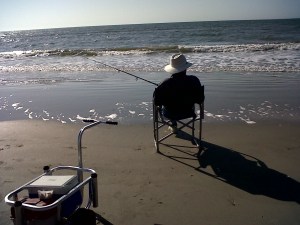
My daddy Surf Fishing

My daddy
Surf Fishing

I live in a pretty awesome place.  As a vacation destination, it has beaches and islands, golf, well-preserved architecture, historical significance, and incredible restaurants.  Charleston was also named “the most polite and hospitable city in America” by Southern Living magazine.  I have no trouble slipping into the slow and lazy pace of summer in the South.  I don’t know if it is Saturday or Tuesday.  Coming off a manic, over-scheduled school year, I’m ready to decompress.

So why am I doing staff development for  other school districts and working on conference presentations at ISTE and iSummit…could it be, that the phrase “everything I ever needed to know I learned in kindergarten” is wrong?  I believe you can teach an old dog new tricks.  Our world is fluid and things never stay the same.  Life-long learning helps us adapt to change.  When I work with other teachers in professional development and I speak at conferences, I am sharing my knowledge but I also learn from them.

Don’t we all get a good laugh when someone not in the know says something like, “It must be nice to have 3 months off from work and get paid for it.”  WHATEVER.  I’ve never had 3 months off in the summer in all of the years I’ve taught.  Summer is a great time for re-charging the old batteries, but it’s also a time for reflection, staff development, re-working lesson plans and PS…that classroom that was all packed up in June has to be un-packed and put back together in August.

I hope to soak up some sun and read some good books, but I also hope to learn from others at ISTE in San Antonio, work and learn from my fellow Apple Distinguished Educators at the institute this summer in Austin, and even though I’m presenting, I want to sit in on some sessions at iSummit in Atlanta.  I want to spend some time reading more on Personalized Learning. I want to read all of those great tweets from my PLN on Twitter that I just haven’t had time to look at.  When we stop learning, we become stagnant.  I want to take part in these learning opportunities so that I can go back to work in August excited and ready…because the work and energy we put into our students during the school year is exhausting.  I know there are times I have to dip into my “innovation and creativity reserves” just to make it through.

We spend 180 days (more in some countries), filling others.  Summer is a time we can fill ourselves.  There are few professions that have classroom hours, pre- and post-school hours, conferences and phone calls, weekend work, after-hours grading, professional development requirements, lesson planning, team meetings, extracurricular clubs and teams, parent correspondence, district level meetings, material preparation, and paperwork on top of paperwork.

Whether you are in the northern hemisphere enjoying summer, or in the southern hemisphere going into fall, I hope you will all find time re-charge.  Learn something new. I will be sharing with all of you the things I learn this summer, so y’all come back now, ya hear?

Today we will do exciting new things. Let’s get to it!