Let’s Get Creative With Educreations

  In the planning stage of a book, don’t plan the ending. It has to be earned by all that will go before it. -Rose Tremain

With only 74 days of school remaining in this year, (wow, that totally seems like I’m counting) I’m feeling the urge to mix things up a bit and try some different things.  I’m a self-confessed organization evangelist and I don’t like messy things (no glitter, ever).  I’m also a big planner and to-do list person.  Call it our ridiculously warm winter this year or perhaps early, early spring, but I’m up for a bit of whimsy.  A bit of spontaneity.

unpacked standardsThis week, our unpacked standard in math, is addition is putting things together and subtraction is taking things apart.  Another kindergarten teacher and I thought it would be fun to put 2 groups of our children together and let them come up with a number story with a partner from the other class.  They would plan together and write it out on paper first.  The partners would decide if it was an addition story or a subtraction story first, then they would decide what object(s) would be used in the number story.  One of the stories went like this: We had 4 flowers.  We gave 2 flowers away.  We had 2 flowers left.

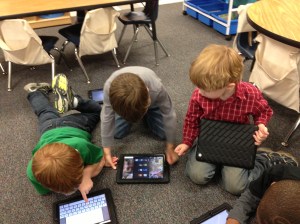
After the story was written out and illustrated on paper, the pair opened their Educreations app.  Educreations is a free interactive whiteboard for iPad. Students can create a video tutorial, record and play their voice, add photos from the camera or their own drawings,  and can animate their images by dragging them around the screen while recording.  planningEach pair of students, decided who would read the story problem first and who would illustrate the story problem while it was being read.  Then they reversed roles and recorded it on the other student’s iPad.  This way both students had their work to show.

My planning only went as far as the partners working on the story problems together and then recording. These students took this assignment and ran with it.  The partners came up with great story problem ideas and did a wonderful job collaborating and taking turns. They loved taking turns and putting the story problem on each iPad.  I’ve mentioned how much they love to talk!

This app has so many possibilities and is so easy to use.  I can even create lessons on the app and have students watch it as needed to work on a skill.  Lessons can be shared via email, Facebook and Twitter if needed.  By having a target plan in place, but allowing the students to take charge and turn it into their own, I find the results usually far exceed even my high expectations…and THAT is definitely a happy ending!

boys planning

I’d love for you to leave a comment, subscribe to my blog, and/or share this post with a friend.

Workflow and iPads

Don’t mistake activity for achievement.-John Wooden

boys workingIn a recent post, I wrote about moving beyond apps and concentrating your focus on content. What are your students learning, why are they learning it and how will they know they’ve learned it? As I unpack the common core standards with my students, I am focusing heavily on these questions…not so that I can answer them, but so that they can answer them.  With these questions in place and iPads in hand, we need to look beyond apps and instead focus on workflow fluency.

If you look up the definition of workflow, you find:

  1. The flow or progress of work done by a company, industry, department, or person.
  2. The rate at which such flow or progress takes place.

The flow of progress…how can my students demonstrate the flow of progress?  Just because they are interacting with an app does not mean they are learning.  iPad activity should be purposeful and connected.  It should also be personalized to what that particular child needs.  

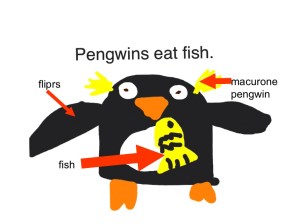
Workflow and iPads allow students to redefine their work.  The technology allows for the creation of new tasks previously inconceivable.  It is transformative.  After our recent thematic unit on penguins, my students created their own books in Book Creator. workflowThis started with their own illustrations in Doodle Buddy which were imported into their book in Book Creator.  The students wrote sentences to go with their own illustrations.  Taking this a little further, students took some of their individual illustrations and labeled them using Explain Everything. They were able to record themselves explaining their work.  While the apps I used in this are great, there are others that do similar things.  Some of them are free.  Pic Collage is another way to demonstrate workflow and it’s free. The take away here is that students are able to use the iPad to demonstrate what they’ve learned and can use apps to explain in their own words what they’ve learned.

As we are striving to make learning more personal, we should teach our students about workflow fluency. By using the iPad to demonstrate workflow, our students are engaged, thinking critically, and are using skills of a 21st century learner.  Even the youngest among us can do it.

I’d love for you to leave a comment, subscribe to my blog, and/or share this post with a friend.

Cooperative Learning and iPads

The things that make me different are the things that make me.- A. A. Milne

collaboration 3When it comes to tattling, I have the “blood, fire, vomit” rule.  You know, don’t come tell me unless there is blood, fire or vomit.  This generally works very well.  They’ve learned what is important to tell me and what is small stuff.  Cooperative learning isn’t always smooth sailing.  5 year olds have a casual relationship with sharing and taking turns.  There are many times group activities have the potential to turn into a major disruption unless the activity is set up just right.

With iPads, cooperative learning is a breeze.  My kids look forward to working with others.  They love sharing, watching what their friends are doing and they love being “an expert” and showing others how to do things.  Each child has something unique to bring to the group. Because they feel confident, they all participate.  Today, we paired with another kindergarten class and my students worked with those students to teach them how to make books.  This is the second time in 2 weeks 50 kids have come together in one classroom to learn from each other.  There was plenty of conversation but there was no whining, tattling, or complaining.  One hour of no tattling in a class of 50 kindergarten students is nothing short of a miracle.  collaboration 2

As we begin to personalize learning and students are excited about what they are learning, it seems natural that many negative behaviors will go by the wayside.  As learners actively participate in the design of their learning and have a voice in what they learn, they take ownership.  They build a network of peers, teachers, and others to guide and support their learning.  Think back to the last professional development training you had that really engaged you and spoke to you…you were focused and energized, and hopefully excited about the possibilities of what you learned.  In contrast, think back to the last training you had that was not so engaging.  Did you stay focused or were you more inclined to check Facebook on your phone or talk to those around you?  Our students are no different.

As we here in the US move through our winter doldrums, let’s find ways to connect with the passions of our students.  It all starts with them.  The more we give them a choice and voice in their own learning, the less we have to use the “blood, fire and vomit” rule.  I, for one, am ALL for that!

group collaborationI’d love for you to leave a comment, subscribe to my blog, and/or share this post with a friend.

Flash Mob Writing Groups?

No matter how many plans you make or how much in control you are, life is always winging it.-Carroll Bryant

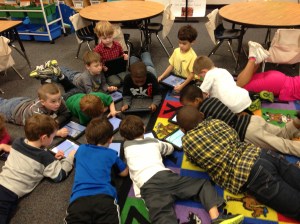
book writingMy lesson plans said something completely different.  It was unscheduled, unplanned, and… undeniably better than anything I had on today’s agenda.  You’ve heard of a Flash Mob?  A Flash Mob is a group of people who assemble suddenly in a public place, perform an unusual and seemingly pointless act for a brief time, then quickly disperse, often for the purposes of entertainment or artistic expression.  Well, That.  Just.  Happened.  No dancing or singing…this was definitely in the realm of artistic expression.  My students were working on their iPads when a group suddenly gathered in the middle of the room and started writing books.  This group (pictured above) was fully engrossed in their work.  They were discussing book topic, titles, text placement, and content. They stopped briefly, only to ask me to put on some “creative music”.   Once they started, they didn’t stop until they were finished.  Most had written a 4 page book.  Once they finished, they dispersed and went back to what they were doing before.

Flexibility is critical in a student centered classroom.  Kids need to feel comfortable making decisions about their learning…even at age 5.  Shutting down that activity because it wasn’t what I had planned for today, would have killed the creativity and spontaneity of that moment.  (Ok, that hour.)  If we are about the business of creating readers and writers, we have to give them time to read and to write.  I can’t always write on command; however, there are times when an idea strikes me and I can hardly wait to write.  It’s hard to stifle that feeling when you are inspired.

Setting up your classroom so that children can move in and out of small groups and make choices about their learning environment, helps foster a real sense of ownership. Allowing them the freedom to grab that iPad and jot down ideas, research a topic, read a book, or create their own book is what 21st century learning is all about. I will welcome a flash mob like that any day!

Here is Kaylee’s book commemorating the 100th day of school:

I Love 100! by Kaylee

I’d love for you to leave a comment, subscribe to my blog, and/or share this post with a friend.

iPads and the Common Core Standards

You cannot teach a man anything, you can only help him find it within himself.
― Galileo

One of the big questions I am repeatedly asked is about using iPads and implementing Common Core State Standards (CCSS).  When you study the standards and the purpose behind them, and you understand personalized learning, you can see how the two fit nicely together.

Personalized Learning is the tailoring of pedagogy, curriculum and learning support to meet the needs of the individual student.  Typically technology is used to facilitate personalized learning environments.  The CCSS are designed to be robust and relevant to the real world, reflecting the knowledge and skills that our students need for success in college and careers. In Language Arts, the CCSS focus on students learning to read and write complex texts independently at high levels of proficiency and at a rapid rate to be effective.  The focus is on proficiency and complexity, yes, but also on independence.  We want our students to be able to do quick, on-the-run research when needed, to express their thinking verbally and in writing, and to summarize, analyze, and design without needing teachers to insert the key questions along the way or to walk them through step by step.  iPads are an ideal learning tool for these goals.  Having constant access to information, students are able to research when needed.  They are able to to write, compose, and create with various applications…all without having to wait their turn on a classroom computer.  The CCSS emphasize that every student needs to be given access to the thinking curriculum that is at the heart of the standards.

The Common Core standards is, above all, a call for accelerating students’ literacy development.  We must lift the level of student achievement.  This is not achieved by simply transferring a worksheet from paper to the iPad.  The CCSS call for true reform.  Reform needs to revolve around creating systems of continuous improvement that result in teaching toward higher expectations, personalizing learning for students-which in turn, increases rigor as well as student engagement. One way we can use iPads to implement the standards is iBooks Author.  iBooks Author allows us to create our own texts to move students up levels of complexity by providing them with many just-right, high-interest texts.

As educators, we have to enable our students to become strong and proficient readers and writers.  Using iPads, we are able to fortify our own teaching, our students’ learning and meet the high standards of the Common Core.

I’d love for you to leave a comment, subscribe to my blog, and/or share this post with a friend.

What’s Your Story?

I think it’s imperative to follow your heart and choose a profession you’re passionate about.-Steve Kerr

What’s your story?  We all have one.  Mine is chronicled here on this blog and while it may seem like a love note to Apple and iPads most of the time, it is more about the changes in my classroom as a result of innovation.

Teachers are innovators.  We have to be.  We are often short on time, money, and resources, but we are not short on passion, creativity, and a desire to make a difference.  It is easy to walk down the hall everyday to your classroom, close the door, and go about the business of educating each day.  It is easy to start believing that what you do doesn’t matter and even easier to drift into autopilot.  It becomes easy to reject new ideas and technologies because that brings change and change brings uncertainty and uncertainty brings…well, it brings a degree of discomfort.  And who has time for that?

There is a bigger story here.  It’s your story. How do you innovate?   What if you tried one thing differently today?  What if you said no to “what we’ve always done” and said yes to something you’ve always wanted to do?

Ok, enough about you, let’s talk about me…I’ve said before iPads have been a game changer in my teaching career.  I’ve always believed in my calling to teach.  It is who I am, but that doesn’t mean I am impervious to ruts, routines, and rigor mortis.  Jumping into this project with a “what if” mindset opened more doors than I even imagined.  Stretching, embracing the change, and learning to live in the uncertain was my personal lesson plan.  It was not (and still isn’t) without setbacks, do overs, and what-in-the-world-was-I-thinking moments.  Innovation does not come without your personal investment.  Innovation doesn’t necessarily mean setting the world on fire…I’d settle for setting my students on fire for learning.

Make a promise to yourself that you will try one new thing.  Stir your creative juices and stretch.  Your skin may feel a little tight; but in the end, you will find your story.  You will re-discover what it is that brought you to this profession and you will be better for it-both personally and professionally.

I’d love for you to leave a comment, subscribe to my blog, and/or share this post with a friend.

Choosing Brilliance

Don’t ask yourself what the world needs. Ask yourself what makes you come alive and then go do that. Because what the world needs is people who have come alive. – Howard Thurman

January is a good time for simplicity.  After all of the necessary messiness and decorations of the holidays, I like the simplicity of January.  January is a good time for reflection and renewal.  Beyond the usual “Get Healthy” resolutions, I find myself wanting to get to what matters.   Where does my professional passion lie? What makes me come alive in the classroom?

I will admit, getting up early this morning after 2 weeks off, I had trouble finding motivation.  Purpose.  Coffee.  But after arriving at school and having my students hug me and bubble over with excitement about being back in school, I realized they have no trouble connecting with their passion.  They said they missed their friends, they missed me, they missed their iPads.  They said they missed learning. I said it was time for Writing Workshop.  They cheered.  Their unabashed love for school, engagement, learning, possibilities, new things, and opportunities seem endless.  They show up everyday with wonder and brilliance.  When was the last time you showed up somewhere, anywhere,  with wonder and excitement at the possibilities?

As educators, our passion, our brilliance,  is easily lost amidst meetings, paperwork, lesson plans, less than supportive parents, criticism, behavioral problems, etc…I can choose to get bogged down in that or I can rise above.  I can choose to show up everyday with wonder… Wonder at what my brilliant 5 year old students can teach me about themselves and about myself.  I can choose to simplify my approach to teaching…to discard things that no longer work or bring my students alive.  I can come to work each day and be thankful for having a fully stocked classroom with supplies, an amazingly supportive administrator, and a district that believes in personalized learning and iPads.  I can connect with my own passion for literacy and learning and magnify what I am doing through this blog.  In the bleak mid-winter, I can choose to shine brightly. Let’s be brilliant together!

Where do you find yourself in this first chapter of 2013?

I’d love for you to leave a comment, subscribe to my blog, and/or share this post with a friend.

We’ve Only Just Begun

“The way to get started is to quit talking and begin doing.” -Walt Disney

One of the best gifts I received this holiday season was the notification from Apple that my school, Drayton Hall Elementary,  met all of the criteria for Apple Distinguished School.  The application was rigorous as was the competition.  We were thrilled to be awarded the distinction.  While many see awards like this as the culmination of hard work, I see it as just the beginning.

I’m pretty good at pushing boundaries.  When I was given the iPads back in January, 2011 as one of 3 pilot teachers for the entire school district, I really had no rules or expectations.  My only limitations were those created by my very own self.  Since I was given a class set of iPads, (thank goodness the district’s Ed Tech staff believed in kindergarten having 30 iPads!) I took full advantage of the opportunity and  looked beyond the “broadcast nature” of the iPad.  More than a presentation tool, my students fully interacted with the iPads.  In small groups, we found individual support opportunities that bolstered those students who were in the bottom tier.  As student engagement was instant, I looked for ways to incorporate the iPad into every aspect of our instructional day.  As the pilot moved beyond the 3 original classes, the staff at my school embraced the technology and zeroed in on the potential these devices hold.

While I know many schools are just getting iPads and perhaps aren’t able to fund them 1:1 at this time, I hope the teachers will continue to voice their desire for them.  The iPad is designed to be a one-user device.  The true power comes when each student holds his/her own iPad and is able to interact with it, work with materials on the child’s own level, and create and save on it.  Sharing, while perhaps necessary for a time, isn’t  ideal.  You can’t expect to see the results we are seeing at my school without a 1:1 implementation.  If you are unable to fund a whole school, find your early adopters on staff and let them have at it.  These people make things happen!

While my holidays are coming to a close next week, I’m excited about what the remaining 5 months of school hold.  With a new year beginning, let’s follow Walt Disney’s advice:  Quit talking and begin doing!  I’m proud of my school for earning the Apple Distinguished School honor.  This isn’t the end,  we’ve only just begun!

I’d love for you to leave a comment, subscribe to my blog, and/or share this post with a friend.
A Reading Buffet with iPads

Books are no more threatened by Kindle than stairs by elevators.  -Stephen Fry

Sunday potluck dinners in the South are awesome.  There is always a huge array of church- lady food.  You know the kind I’m talking about…Miss Ruby’s secret recipe sweet potato casserole, or Miss Ethel’s homemade from scratch coconut cake.  You look down the long table filled with amazing choices and hope the blessing is said quickly and that you’ve got enough space in your stomach to hold a little bit of all of it. You walk away with a plate piled high of a little of this and a little of that.  So much better is this than going to a restaurant where you may have a menu full of choices, but you must settle on only one entree.  Invariably, I always look around once the food arrives and wish I had ordered what someone else ordered.

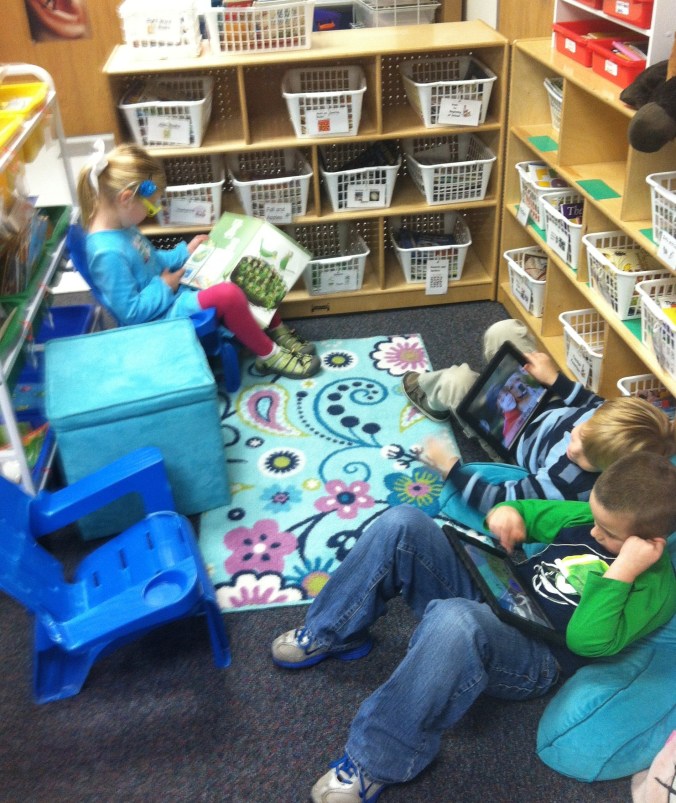
reading choicesHaving choices in reading is no different than that Sunday covered dish luncheon.  My students have the choice of reading regular books, and they can also read from their iPads.  They have many books both hard copy and electronic to choose from.  They can read from a variety of genres and from a variety of topics on a variety of reading levels.  This is a time when more is definitely…well…more.  Already my kindergarten students are referencing author styles, comparing illustrations, and making connections to other texts with their reading partners.  One student recently asked another, “Do you like Eric Carle’s illustrations better than Dr. Seuss?”

Donalyn Miller, author of The Book Whisperer states: “People who lose the ability to make choices become disempowered. This is true for adults, and it is true for young readers. When every book a child reads is chosen for them — by parents or teachers — children lose self-motivation to read and interest in reading. Children should choose their own reading material most of the time, but they need exposure to a book flood to determine what books they like and learn how to choose their own books. ”

Choices encourage engagement, engagement encourages stamina and stamina teaches the curriculum of time.  Children need to learn to read by reading.  By offering them a veritable table of “covered dish” choices, they don’t have to decide between the sweet potatoes and the mashed potatoes…they can have both.  And isn’t that the best of both worlds?  Pass the gravy y’all…

I’d love for you to leave a comment, subscribe to my blog, and/or share this post with a friend.

Beyond Top Ten Lists

Instead of a national curriculum for education, what is really needed is an individual curriculum for every child.-Charles Handy

It seems everywhere you turn, you find a “must have” app list or a “top ten apps for educators” list.  They list apps that are free or are the favorites of the author.  I used to look quite frequently at these lists when I first started with iPads.  I didn’t want to miss out on that one great app that might instantly transform my classroom.

Now, I rarely look at those lists.  I occasionally write about an app or two in my blog, but it is usually in the context of increasing rigor or advancing personalized learning.  I am often asked what are my “must have apps”.  I don’t mind sharing the ones I use, nor do I mind sharing my favorite ones at the time.  That list changes with what my students need.

Once I asked myself what is my goal of the iPad in the classroom, I found that I didn’t want it to be an “app machine”.  It can certainly be that, but I wanted it to be a tool for learning.  I had to define what that looked like for me first. I was in a meeting recently and someone raised a question and no one really knew the answer.  Within seconds, everyone was pulling out either their iPad or their smart phones to look up the answer.  We can memorize states and capitals, presidents, and other bits of trivia but we also need to teach our students how to solve problems and find information.  We also need to teach them how to find credible sources for that information.  We can’t do that with 2 desktop computers in the classroom, but we can do that with iPads.  By learning to think critically, analyzing information and its sources, we are doing so much more than any app can teach. As we move into personalized learning environments, we need to think beyond just apps.

Having said that, I do use apps daily and I have some apps that are very valuable in reinforcing certain skills.  There are many great apps out there and there are some that are junk.  We have to filter through them and discern the best way to incorporate them into instruction.  As we increase rigor with Common Core State Standards, we can use the iPads for so much more than just apps.  Students can create in writing, arts and music.  They can read and do research. They can explore and extend learning.  If you think your students can’t do it, then think again.  I watch my 5 year olds do it every day.

I encourage all of my iPad teacher friends out there to cut the cord that tethers them to apps.  Ask yourself what is your goal and think about what it looks like for you and for your students.  If you can’t envision it….then trust me, THEY can!

I’d love for you to leave a comment, subscribe to my blog, and/or share this post with a friend.