A Bet’s a Bet!

“The real voyage of discovery consists not in seeking new landscapes but in new eyes.” -Marcel Proust

A recent conversation between 2 of my students went something like this:

“I saw a python in my yard over spring break.”

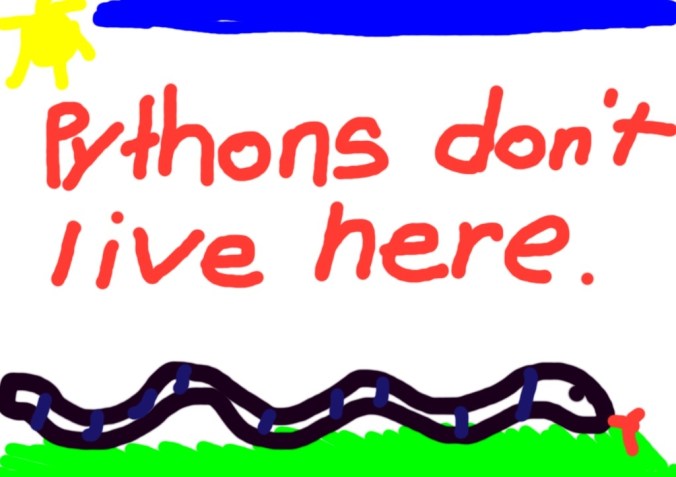
“No way! Pythons don’t live here.”

“Yeah huh I really did. I bet you $10.  Have you ever seen one?”

“No. Only on tv.”

“Dude, come look on my iPad. I will show you one.”

At that point, they went over to their iPads. They promptly opened up Safari, Google-searched pythons and went straight to Wikipedia.  They started reading what pythons eat and looked at pictures of pythons.  Then, a terrible, awful, discovery…pythons do not live in Charleston.  Oops.  *Silence*   Well, this is awkward.
Haven’t we all insisted something was right and we were oh-so-wrong?  We all have misconceptions and young children are no different.  Sometimes it’s difficult to let go of those misconceptions.  In this case, the students solved their own problem.  They were forced to look at something in a different way.  Problem solving and discovery often mean a change in thinking, a change in how we look at something, a paradigm shift.

Many school districts are looking at a change in how they do education.  Decisions are being made about whether to try iPads or some other tablet.  Discussions are being had about what is the best way to proceed.  Arguments are taking place about whether teachers and students need this technology. The misconception exists that young students can’t handle iPads.  I have taught for 22 years without iPads and just over 1 year with them.  In the past, I’ve had as many as 4 desktop computers in my classroom and as few as 1. (I currently have none.)  The problem with the desktop computers was lack of access.  There was no way all 30 students could get on the computers in a meaningful way on a daily basis.  How many times a day do you use your smart phone to look up something, get directions, make a reservation, look up a phone number, text someone, send an email or take a picture?  Accessibility to information is a critical part of learning. The students in the verbal exchange written above would have either argued their way through the python dilemma or they would’ve come to me to solve it.  I am not a paid Apple representative, nor do I play one on TV…but what I know for sure is the accessibility and convenience of the iPad allow students and teachers to approach learning in a whole new way…with a new set of eyes.

“Dude…you owe me $10.”

I’d love for you to leave a comment, subscribe to my blog, and/or share this post with a friend.

iBooks Author

“There are many little ways to enlarge your child’s world. Love of books is the best of all.”-Jackie Kennedy

How can I help my students be better readers?  What do good readers do? These are questions all teachers face daily.  For the past 3 years, we have been using the Fountas and Pinnell Leveled Literacy approach to teach reading and writing.  This has been very successful for us.  One of our biggest obstacles in implementing this program is obtaining resources for teaching guided reading.  Our leveled book collection initially was non-existent.  Over the last 2 years, our school has prioritized literacy and added books to create a leveled book room.  While we are in a much better position with resources now, adding books is expensive…and no one has any money.

Enter iBooks Author.   This free program for the Mac allows you to create your own multi-touch book.  It allows for creation of galleries, video, 3D objects, and interactive diagrams.  There are templates ready to use or you can create your own. I’ve been creating books for my students in this app and uploading them to their iBooks app on the iPads.  My first book was a non-fiction book about our city, Charleston, SC.  It was written with easier vocabulary, repetitive text patterns, and utilizing mostly sight words.  I created a second version using the same pictures with slightly more difficult vocabulary and increased sentence structure.  The third version has the same pictures, but was written for my above-grade level readers.  Knowing my students’ interests has also helped me decide on book topics.  I wrote a non-fiction book on Dirt Bikes and another on Soccer.  Looking at my state science standards, I wrote a non-fiction book on Baby Animals.  Some of my boys who are more reluctant readers, love the Dirt Bikes book and read it daily.

The Common Core State Standards indicate students need to be reading more informational texts. By 4th grade, students should be reading 50% literary texts and 50% informational texts.  Today’s workplace requires many different kinds of literacy.  Good readers read many different kinds of books. They think about what they read and they make connections as they read.  Good readers ask questions and make predictions.  With the iBooks Author app, I am able to create student centered texts that are literally at their fingertips.

I’d love for you to leave a comment, subscribe to my blog, and/or share this post with a friend.
On Safari

I hear and I forget. I see and I remember. I do and I understand-Confucius

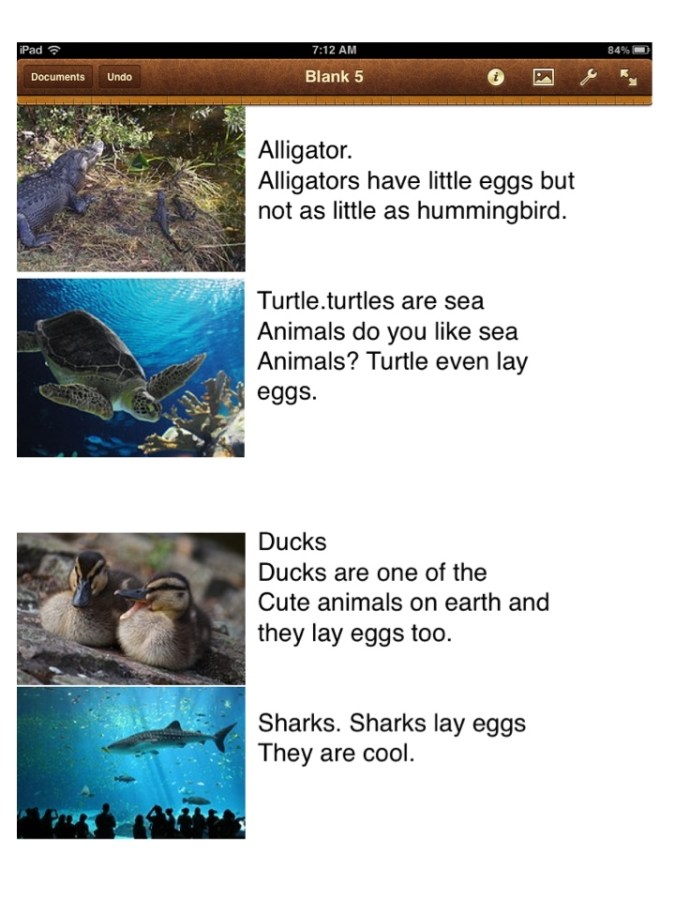
We did it.  We stepped out into the World. Wide. Web.  We have been talking about oviparous animals.  After a class read aloud of the book Chickens Aren’t the Only Ones, the children chose 4 animals that lay eggs. They Google searched the animals and found pictures of them.  Then they saved their images to the camera roll and imported them into their Pages App.  Once the images were imported in, the children wrote about them.  Finally, we shared our projects with each other.  This was our first time to go on Safari.  First, there is the issue of internet safety as children search the web. Second, there is the whole madness of 26 children learning how to search Google and choose an appropriate site and lastly, saving images to their camera photo roll.  This first time, we used Wikipedia for our animal images.

For instruction, I hooked my iPad to my Smart Board and was able to demonstrate step by step how to do things.  The children listened and followed directions beautifully.  As soon as they opened up their Wikipedia pages with images of the animals, the room was filled with Oooh’s and Ahhh’s.  A hush fell over the room and their eyes were huge with wonder. That beautiful Kodak moment was quickly replaced with tons of excited chatter and discussion.  By the second time I had demonstrated how to find the image and save it, the pros were done with me and moving at their own speed.  “Thanks, Mrs. Meeuwse, but we’ve GOT it.”  Teacher dismissed.

My original plan was to stretch this out over 2 days.  I thought on day 1 we would work on learning how to search the web and save our images. On day 2, we would import them in and type our facts.  The children had a different plan.  They were so engaged in this activity that when I suggested we wait and finish tomorrow, their faces fell and they said, “Why?” Why indeed, so we worked on.  They worked for an hour and a half before most all were finished and we shared.  After we shared, they asked, “Can we please do this again tomorrow?” “Tomorrow?” I asked.  “You want to learn tomorrow too?”

These crazy kids….

I’d love for you to leave a comment, subscribe to my blog, and/or share this post with a friend.
We’re Engaged!

Technology is just a tool. In terms of getting the kids working together and motivating them, the teacher is the most important. -Bill Gates

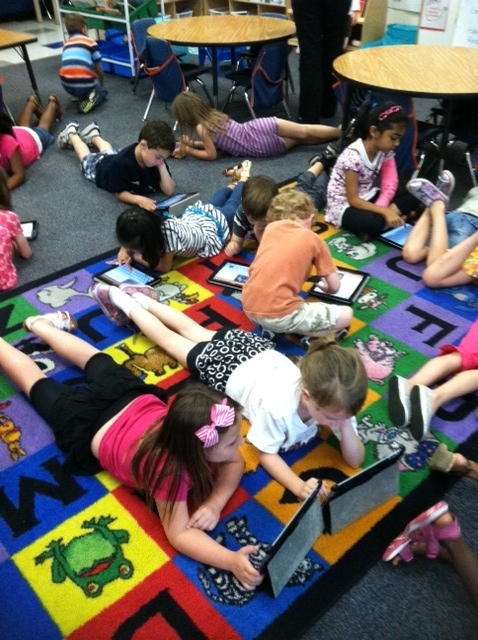
Engagement…a critical factor in learning and achievement. When kids are engaged, they are creating, thinking, analyzing, problem solving and collaborating. Recent visitors to our classroom from another part of our state came to see the iPads in action. They saw us during our morning literacy center time with students moving in and out of small groups. Students were involved in both partner and independent activities all around the classroom. Some activities involved iPads and some did not. The visitors comments were, “These children are SO engaged! They are managing their own learning and they know what they are doing. It all seems so seamless.”


Those comments are great! We work very hard to accomplish this; however, it doesn’t happen on its own. Engagement in any learning task depends on the carefully orchestrated classroom environment. You simply can’t place an iPad in a student’s hands and hope it all works out. What visitors see is a result of daily instruction, modeling, guided practice and gradual release of responsibility. My students know how to do many things, but more importantly, they know why they are doing them. Flexible grouping within the classroom and collaborative coaching are also necessary. My job is more important than ever! I can’t just “Skype in”.

High expectations and classroom rigor, along with incorporating appropriate iPad apps, are yielding dramatic increases in achievement in our at-risk students. Narrow curricula and rigid instructional practices hinder these particular students from excelling.

My kindergarten students will graduate from high school in 2024. Lack of student engagement is a major factor in student drop out. The use of iPads as a technology tool, personalizes student learning and addresses learning styles. They are visual, auditory, and tactile. With 52% of children under the age of 8 using iPods, iPads, smart phones and other digital media, it’s obvious what holds their attention.

We are working diligently to provide our students with a variety of experiences that are engaging and meaningful across all subject areas. The great thing about watching my students in action is that to them, it’s no big deal. When I tell them we have visitors coming to see all the great things they are doing, they just shrug it off as if to say, “Why all the fuss? Isn’t everyone using iPads?”

It’s a question worth considering.

I’d love for you to leave a comment, subscribe to my blog, and/or share this post with a friend.

Redefining Literacy with iPads

The illiterate of the 21st century will not be those who cannot read and write, but those who cannot learn, unlearn, and relearn.  ~Alvin Toffler

We are all such creatures of habit and we seldom like change…I tend to go to the same stores, eat the same food and sit in the same spot in school meetings and in church.  My students tend to sit in the same (unassigned) spot on the carpet and get upset when someone else is “in their spot”.  The girls tend to be far more vocal about it, but the boys are all “Dude…” and it usually is resolved without much argument. 

Change isn’t always bad.  In the last 23 years, I’ve gone from teaching with chalk and chalkboard, to whiteboard and dry erase markers, to a Smart Board,  and now I use both Smart Board and iPads. I’ve adjusted the way I teach by learning one way, unlearning and learning anew.  I can’t seem to function without my iPhone and iPads, both personal and professional.  (Yes, I have 2 of them.)  When I think about my kindergarten students, I marvel at all that they are able to do and to experience in this digital age.  Their language is peppered with “Tell your mom to text my mom so we can have a play date.”  “We downloaded a movie from Netflix and watched it on the laptop.” “I played Angry Birds on my mom’s phone when we went out to eat.” “Why do you need a map when you can look at the GPS?”

When asked to define literacy, our first thoughts tend to go toward the obvious- reading and writing.  It seems more accurate to define literacy today. Librarian Valerie Strauss defines literacy today as Transliteracy.  She says, ” Literacy has evolved, to not be defined or confined by container or format. It’s not just reading words on a page. It might be decoding graphic novels, it might be decoding video. It will be literacy in forms we haven’t even dreamed yet. We should encourage kids now to get their literary riches in formats that appeal to them and that they are comfortable with, whatever it may be. That is the future. The literacy of the future is finding meaning in many forms.”

Ipads serve a very real purpose in today’s “transliterate” classrooms.  I find they are easy to incorporate in all areas of content; and my students, as young as they are, lead the way.  I’m glad I’m along for the ride.

I’d love for you to leave a comment, subscribe to my blog, and/or share this post with a friend.

Write On!

Fill your paper with the breathings of your heart.  ~William Wordsworth

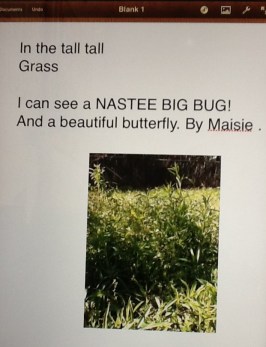
One way we’ve been making connections with our reading is to use our Pages App as a Reading Response journal.  Students write about what they are reading.  It’s a way to share thoughts, feelings, and questions.  The story we read was Denise Fleming’s In the Tall, Tall, Grass. Students wrote their thoughts about the story.  Some shared connections they made with the story.  Reading Response journals enable the children to think more about the story.  My students often have difficulty thinking beyond the text.  If asked “Why do you think” kinds of questions, they are reluctant to answer because they are afraid they will get it wrong.  At 5 years old, they are already conditioned to give the “right” answer.  I want them to think beyond what is written in the story and explore the possible feelings and/or thoughts of the characters.  This opens discussions up for making inferences and predictions.  I model this by stopping during shared reading and thinking aloud, discussing things I wonder and make predictions about what is about to happen next in the story.

Another good way to use the Pages App is to have the students do writing extensions beyond the text after reading. For this activity, we took our iPads outside and took photographs of the tall grass near our room.

The students wrote what they might see (or have seen) in the tall, tall grass.  They imported their photo into Pages and shared with the group their innovations on the story.

Using Pages is a great app for journal writing. Whether Reading Response or Science, it’s a great way for students to quickly get their thoughts down.  Having the camera option is a terrific means of incorporating their observations.  These activities had my students completely engaged and asking when they could write some more.  Isn’t that what it’s all about?

I’d love for you to leave a comment, subscribe to my blog, and/or share this post with a friend.
Y-E-L-L Everybody Spell!

“It’s a poor mind that can only think of one way to spell a word.-Andrew Jackson

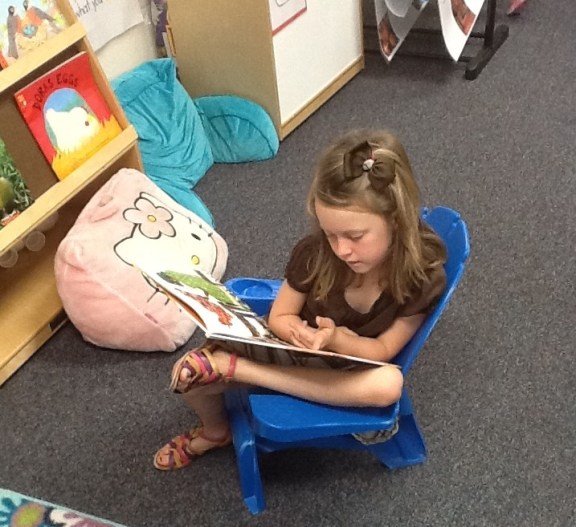
Um, did I mention these children are 5 years old?  Clearly our little ones are heavily influenced by our text-rich world.

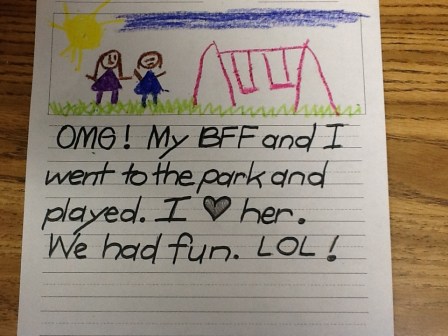
In kindergarten, we place emphasis on invented spelling. Invented spelling is the practice of young children using their best judgement when writing words.  This opens the children to using more of a variety of words than if they only write the words they know how to spell correctly.  Students write what they hear.  When students use invented spelling, they seem to develop word recognition and phonics skills sooner.  The more they write, the more confidence they have in their writing.  The process of getting it out of their head and onto the paper is the key rather than have them get bogged down in spelling words correctly.  My students are easily able to write several sentences on a given topic on their own.  We have environmental print in the room on the anchor charts, plus they use invented spelling.

Using the iPads, I am able to give the students opportunities to practice spelling high frequency words and word family words.  We use the app Spelling 1-2.  This allows students to work on their own list of words.  In the beginning of the year, I put their words in the app, but later they can put their own words in themselves.  They practice all week on their given list of words on the app and they are assessed weekly.  This ability to differentiate instruction allows my higher students to move on to more difficult words and my struggling students to practice what they need.  At one point this year, I had 4 different lists going on the iPads.  Now I’m down to 2.  With a class of 26 students, I am able to meet the needs of each of my students where they are. We  use a few other spelling apps for fun.  Two of the apps we like are Montessori Crosswords and Word Wizard.

As we allow students to express themselves in a safe, encouragement environment, we see the possibilities and their creativity flourish.

I’d love for you to leave a comment, subscribe to my blog, and/or share this post with a friend.
Gettin’ Buggy With It…Using iPads for Literacy and Science

“Do not limit children to your own learning, for they were born in another time.”  Chinese Proverb

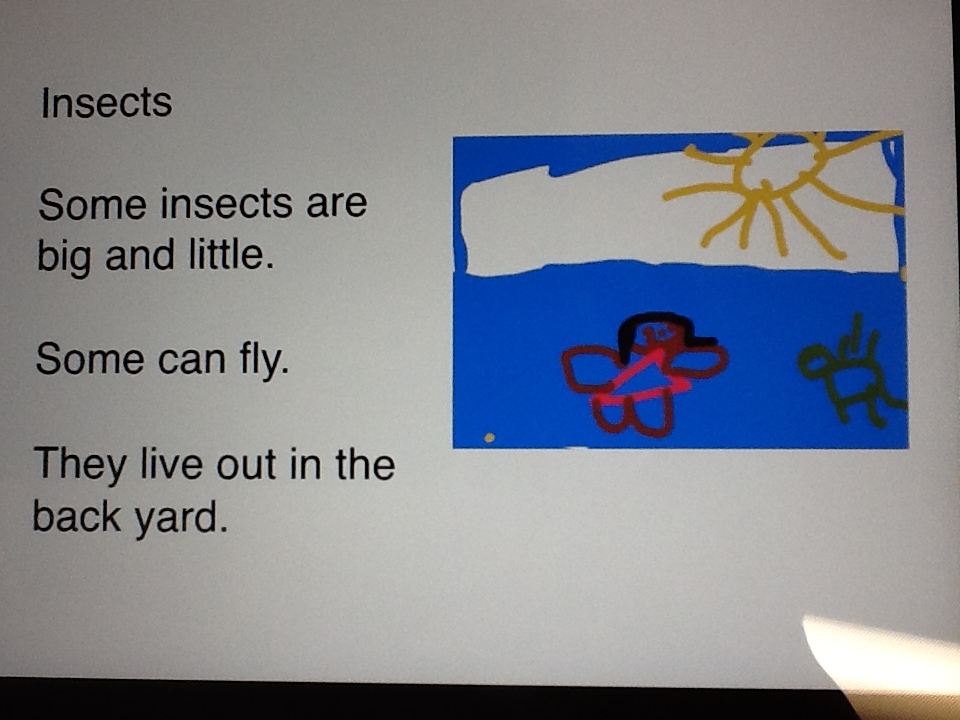
One of the most exciting aspects of using the iPad is integrating it with the content I am covering in class.  We’ve been discussing insects, and what 5 year old isn’t fascinated by bugs?  Today, my students used the Pages app as a science journal to write about insects and then created illustrations in their Whiteboard app.  Afterward, they imported their picture into the Pages document and re-sized it to fit on the page.  Throughout the process, they were buzzing (no pun intended) with each other about their insect facts, helping one another with importing their illustrations, and proudly sharing their masterpieces.  In addition, as children shared their work, they were reading and developing fluency.

Many years ago, when I was in kindergarten, I was given a fat, black, eraser-less pencil and primary-lined paper to write on. I am left handed and as I wrote, my hand smeared my words.  Unable to erase, I would get frustrated and not want to write.  Even in the early 80’s when I was in college, I had no computers available or even typewriters to type my papers.  As our students move into the digital future, they will learn by doing.  I am preparing them for jobs that don’t even exist yet!  It is crucial that content be engaging and relevant and that the rigor in our classrooms promote those higher order thinking skills.  If you break down this iPad exercise into steps, this is what they had to do:

1.  Open the Pages app and change the font size.

2. Type the title and their content. (which is no small feat since they don’t have keyboarding skills, plus they are sounding out their words at the same time)

3.  Open Whiteboard app, create illustration and save it

4.  Go back to Pages and import illustration and re-size.

5.  Read and share

On the revised Blooms Taxonomy, these students were creating, evaluating, analyzing and applying.

This isn’t old school kindergarten.  We are cutting-edge, 21st century learners!

Listen to Gracie read her insect story from her iPad…


I’d love for you to leave a comment, subscribe to my blog, and/or share this post with a friend.

The Force is With Us…

In Star Wars: Episode I — The Phantom Menace Darth Maul said, “At last we shall reveal ourselves to the Jedi. At last we shall have revenge.” Well, that didn’t quite work out, did it? At least not then, and certainly not because of the tattooed Sith Lord. Sure, Maul killed the preachy Qui-Gon Jinn, but he in turn got cut in half by Obi-Wan Kenobi.

Huh?  I’m clearly out of my element.  I introduced a new book in our reading center today. It is an encyclopedia of Lego Star Wars characters.  Saying it was a huge hit is an understatement.  The above discussion, or something like it, was taking place today between Hagan and Caleb.  They are my Star Wars experts.  The excitement over this new book was not unexpected.  Interest inventories taken on my students clearly showed the need for this new addition.  However, what happened next was unexpected. In the midst of all of the Star Wars techno-babble, the boys decided it would be great to go to the iPad and write about it.  They planned out what they wanted to each write and how they would illustrate it. The discussion  was amazing.  Their engagement was priceless.

I am passionate about my students’ writing.  We have several author studies throughout the year and I use mentor texts to inspire their writing. It is essential in teaching creative writing to provide opportunities  to link writing topics to who the children are familiar with and to what excites them.  Conferring with the students, having them look at their own writing and sharing their writing helps them make connections with good reading and writing skills.  The use of iPads, in conjunction with systematic teaching in Reading and Writing Workshop,  is producing the most advanced reading and writing that I’ve seen in the 23 years I’ve taught. The data is compelling.

Hagan and Caleb-Star Wars aficionados

Whether the students are writing on iPads, blogging, creating eBooks, or writing with pencil on paper, they are immersed in rich language all day long.

So, whether you side with Darth Maul or Obi-Wan Kenobi, I believe “The Force” is strong in kindergarten!

I’d love for you to leave a comment, subscribe and/or share this post with a friend.

I Get By With A Little Help From My Friends

Have you ever had a divine, glorious, light-coming- down- from -the- heavens moment? One that says, “YES!  They finally get it!”  A recent student conversation was music to my ears:

Tahra: “Mrs. Meeuwse, I think I need help spelling the word ‘children’.”

Ansley (before I could respond to Tahra): “I saw that word in a book I was reading today.  I can get it and show it to you.” Ansley goes directly to the book and brings it back. Opens it right to the page and points out the word “children”.

Tahra: “Thanks, Ansley.  That was helpful.” Such nice manners!

What!?  This conversation was awesome on many levels but  I was truly delighted they worked together and solved a problem without me!

Cooperative learning creates an environment of active, involved, exploratory learning. It also develops social skills and higher order thinking skills.  Creating an environment where cooperative learning takes place all throughout the day is important.  It builds student confidence knowing they aren’t alone.  Using iPads, students are constantly teaching each other (and me!) how to do something.  This sharing of information and exploration is seamless as we move throughout the day.

Tahra and Ansley reversed roles a little later.  Ansley thought of some ideas for her blog posts and wanted to write them down.  Tahra showed her how to make a list in the Notes app on her iPad.  The children enjoy  helping each other.  Problem solving skills are also being reinforced, not to mention my name is called a few times less each day.  They are learning to “ask the experts” in the classroom.

John Lennon was right. We all need some help from our friends. I know I do and I have 26 little friends who are there when needed!