In the Dark: What Happens When You Lose Electricity?

Things work out best for those who make the best of how things work out. -John Wooden

And then there was darkness…a recent school-wide power outage left us without the use of my laptop, the Smart Board, overhead lights, air-conditioning…all of the things we take for granted every day and that are absolute necessities in my book.   An announcement was made that it was uncertain how long we would actually be without power.  Hmmm…what do we do, now that we can’t see to move around our classroom, and can’t use our Smart Board? Our technology-dependent classroom came to a screeching halt. 
As I am using my iPhone flashlight app to move around without stepping on someone, it occurs to me that all is not lost.  We may not be able to see to read or write in the traditional ways,  but we do have iPads.  Our wonderful back-lit devices allows us to carry on even in darkness.  We can read, write, spell, add, subtract, complete patterns, count, draw, sing, do yoga, learn a foreign language,  ok…you get the idea.  We all sat on the rug and played a favorite spelling game.  Using our White Board app, I called out words and they wrote the words on their iPads.  They held them up to reveal their answers. The glow of the back-lit screens even contributed to the ambiance in the room.  Everyone lowered their voices and it was almost like we were in a really nice restaurant.  Almost.
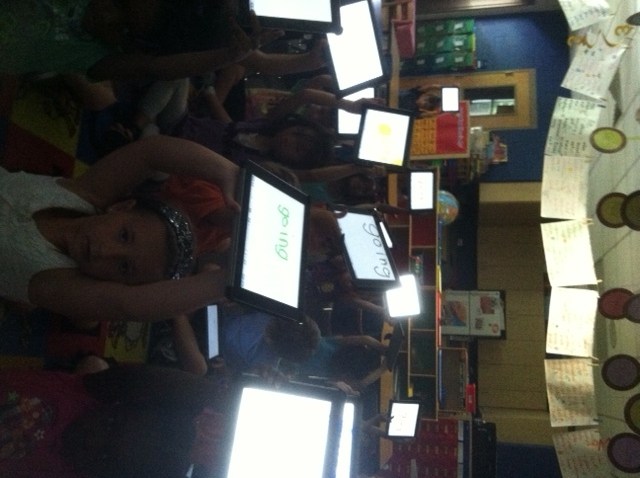
We played our spelling game and before we knew it, the power was back on.  That 20 minute outage could’ve seemed like an eternity but we “powered” through with iPads.  The kids were disappointed when the lights came back on.

The Multi-touch White Board app by Shifting Mind is a very versatile one.  We use it for multiple purposes and in all subject areas. You have the ability to have up to 9 white boards in use at once.  It is also possible to type in text rather than write or draw.  It uploads nicely into the Pages app and eBook Magic.

We made the best of things on that day. The kids thought it was an adventure and even ask if we can turn off the lights in the classroom whenever we do whole group iPad activities on the carpet.  It seems to keep them quiet so I’m all for it!

I’d love for you to leave a comment, subscribe to my blog, and/or share this post with a friend.

Great Expectations: Closing The Achievement Gap With iPads

Definiteness of purpose is the starting point of all achievement. -W. Clement Stone

If you search the internet for technology and educational achievement, you will find a variety of opinions as to whether technology impacts achievement in elementary school.  Having taught school through a veritable technology spectrum that ranges from no classroom technology, to having an Apple IIe with no internet connection and a stack of 5 1/4 floppy disks, to 4  networked Dell Desktops and now iPads for each student, I can say the student motivation with technology has always been higher than without.

I’ve stated before that technology without purpose will not yield desired results.   Schilling and Schilling (1999) capture well the broad idea that expectations are vital to education. … the literature on motivation and school performance in younger school children suggests that expectations shape the learning experience very powerfully. For example, classic studies in the psychology literature have found that merely stating an expectation results in enhanced performance, that higher expectations result in higher performance, and that persons with high expectations perform at a higher level than those with low expectations, even though their measured abilities are equal.

In an earlier post, I shared reading results from the 2010-11 school year.  We used iPads from the end of January until the end of the year.  It was exciting to see such growth.  This year, with only 24 school days remaining, our data is equally exciting.

It is interesting to note that I had 2 students transfer in after Christmas as non-readers.  They are currently reading above grade level.  How is this possible? Systematic teaching in the Workshop Model and the ability to differentiate instruction to meet individual student needs on the iPad is the key.  Student-centric technology is the answer to the One-Size Fits All approach to learning.

The larger debate concerning the effect of technology on student achievement goes on outside our little classroom.  I’m not a statistician nor am I a researcher, but when 100% of my students are going to First Grade reading above grade level 2 years in a row, I would say iPads are an essential part of our learning environment.

I’d love for you to leave a comment, subscribe to my blog, and/or share this post with a friend.

Knowledge is Power: Students Taking Charge of Their Own Learning

Research is creating new knowledge.-Neil Armstrong

We have been studying the rainforest.  Kids love animals and the plethora of exotic animals in the rainforest creates instant interest and curiosity.  One day the wonderment and inquiry had reached fever pitch.  “Does the poison arrow frog have any predators?” ” How big is a giant anteater anyway?” “Are howler monkeys nocturnal or diurnal?” And my personal favorite question that was asked, “How does chocolate come from the rainforest?” I started writing down all of our questions so that we could figure out how we would solve them.  Before I finished, someone said, “I think we should look on Safari on our iPads.” Someone else immediately asked if they could “research” rainforest to find some answers.  Do you see the rich vocabulary here?  These questions and statements are not being paraphrased.  This is what happens when children feel empowered to take charge of their own learning. I barely had nodded yes to the research question when my room looked like the start line at the Boston Marathon.  Someone found a website on Safari that had several rainforest animals.  Peer sharing began immediately.  The students started finding images and information about animals that interested them.  They helped each other and they were engaged, focused and excited.  Without me giving any directions…on their own they started saving images and importing them into Pages.  They debated font size, picture size and word choice.  I facilitated, checked-in with groups, answered a few questions and mostly just let them have at it.  Their conversation was rich with the language of inquiry. They worked on this for over an hour before we had to stop. After lunch they came back to it and worked until they finished.  Here is one student’s work that is finished. Keep in mind these children are 5 years old and have no keyboarding skills other than “hunt and peck”.

This lesson was completely student-driven.  It all started with me reading a non-fiction book on the rainforest.  My plan was to go in a different direction but once the questions started, I knew my plan was out the window and we were headed down a different path.  But…isn’t that how it’s supposed to be?  Inquiry-based learning teaches problem solving and critical thinking skills. It develops student ownership of their learning and builds student interest in the subject matter.  Inquiry allows students to create their own knowledge. The iPads give the accessibility needed for each student to do the research.  With only 4 computers in our class just 2 years ago, this would have never been possible.

I’ve been asked what happens when the children become bored with the iPads.  They say, “Oh, it’s a source of fascination now, but what happens when it no longer is?”  My answer to that is two fold.  First, if it is being used as a toy and not a learning tool, then it will gather dust on a shelf somewhere.  However, if it is integrated into the curriculum properly, it will be as valuable to students as our own laptops, smartphones, and computers are to us as adults.   When was the last time you used a phone book to look up a phone number or address?

My friends, knowledge is power.  Our students are overflowing with wonder and an urgency to learn.  We need to equip them with all the tools necessary to be successful.

I’d love for you to leave a comment, subscribe to my blog, and/or share this post with a friend.

Who Are You? Are You a Reader?

I call everyone ‘Darling’ because I can’t remember their names. -Zsa Zsa Gabor

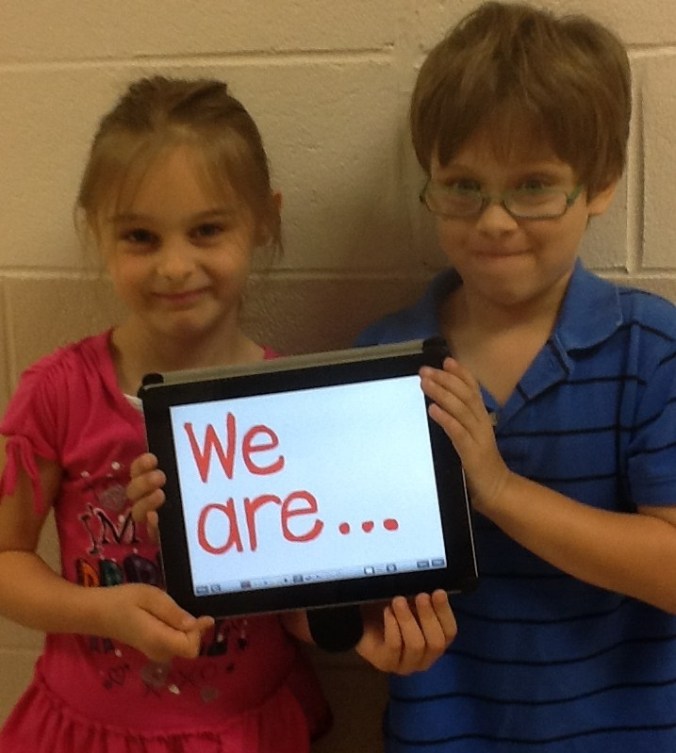
This post would be more suitable for the beginning of a school year.  However, it is never a bad idea to plan ahead!  My students always have difficulty learning the names of their classmates.  They will say “that boy over there” or “some girl”.  This year, I took a picture of each student with my iPad and imported them into a class book.  I used eBook Magic but you could also use iBooks Author.  It is a simple book.  Each page consists of only the child’s picture and a sentence that says, “I am ___”  The simplicity of this book was so helpful at the beginning of the year.  Students learned names much more quickly, but more importantly, they were “reading”.  For many, this was their first book to read on their own.  I underestimated how much they would love this book.  It excited them to see their own picture in a real book as they called it.  Even more surprising, they continue to read that simple book even today, with only 25 school days remaining.

Thinking about next year, I will definitely make the book again with my new students.  However, I want to add some other books as well-  books about the children themselves.  We do a lot with thinking maps.  At the beginning of each year I feature one child each day and make a circle map.  On that map, we write various items that describe the child’s likes, favorite things, and descriptors of that child. We display the circle maps in the hall.  I will take that circle map and make a short book in eBook Magic about the child and upload it to each child’s iBooks.  By the end of the first nine weeks, each child will have a book about themselves as well as books about their classmates.

Providing students with opportunities to experience both narrative and informational text will improve both their motivation and achievement. 46% of students in the United States start kindergarten unprepared for school. The achievement gap tends to widen through the years and often students who enter school behind their peers, stay behind.  By providing high interest books in the reading center and on their iPads, we develop print motivation which is a child’s interest in books. Children with print motivation will work harder to learn to read. They will identify themselves as a reader.

By taking incremental steps in our classrooms, providing high interest reading materials, and engaging students at an early age, we can work toward decreasing that achievement gap one classroom at a time.  The iPads give me the opportunity to create my own reading material through eBook Magic, iBooks Author and even Pages.  After all, who wouldn’t want to jump into a book written just for them?

Wouldn’t it be great for a child to say, “Who am I?  I am a reader!”

I’d love for you to leave a comment, subscribe to my blog, and/or share this post with a friend.

And a child shall lead them…

“Grown-ups never understand anything by themselves, and it is tiresome for children to be always and forever explaining things to them”  ― Antoine de Saint-Exupéry

How many of you have a VCR that is still flashing 12:00?  If so, you need an 8 year old to program it. Or better yet, throw it out. I no longer have a VCR and was thrilled to move into the world of DVR.   Many of my students would be quick to ask what a VCR is. Oh the times, they are a changin’.

As our students use iPads in the classroom daily, they are learning ways to manipulate this instructional tool.  They quickly share the knowledge with others and they seldom have to help the same person twice.  Kids get it. Adults, not as quickly. A colleague of mine came into my classroom to ask me a question about a particular app.  Immediately after she asked me, a nearby student jumped up and said, “I can show you.  Look…” The 5 year old quickly went through the steps and the teacher, trying to follow along, said, “Like this?”  and the child, slightly impatient, said, “No, like THIS.” Our students are digital natives.  They were born digital.  They are growing up in a life immersed in digital technologies.

The challenge is teaching them.  Because our students think and process information differently in this digital age, our teaching must change. The digital immigrants teaching these digital natives must think differently.  How many of us still print out email or print out a document to “proof read”?  With the iPads, we’ve been able to go almost paperless.  I say almost because we haven’t worked out some barriers yet.

I recently received a new student.  He had never used an iPad.  I didn’t bother showing him how to use it.  His peers took over and he was proficient by the end of the school day.  I used to demonstrate how to use new apps on the Smart Board.  Going step-by-oh-so-painful-step for my digital natives.  I thought they needed that.  They were politely restrained and gave me that condescending smile of “Yeah, yeah…blah blah blah.  Get on with it so we can do this ourselves.” I no longer torture them.  The speed in which they process new information is astounding and I had to adapt.  I love technology and think of myself as an early adopter…but even I catch myself about to print out an agenda for a meeting from time to time.  Oh Mrs. Meeuwse, that was sooo 47 seconds ago.  Old habits die hard.

With the apps we use in class, the seamless integration of technology with learning, and adaptive and flexible teaching techniques, we can bridge that digital divide.  My students would cheer, but they are blogging about the rainforest and can’t be disturbed. Cue the Rent a Crowd App in the app store.  It will clap and cheer for them for only .99.

I’d love for you to leave a comment, subscribe to my blog, and/or share this post with a friend.

Symbaloo to You

I find it helps to organize chores into categories: Things I won’t do now; Things I won’t do later; Things I’ll never do.”- Cartoon Character Maxine

I’m a fairly organized person.  My teaching friends would say I’m obsessive. That sounds so… so….accurate.  *sigh* I just like things where they go and I don’t like to waste time.  I like things alphabetized, organized, folderized, containerized, and color coded.  (I even debated on using the words color-coded since it didn’t fit my -ized theme.)

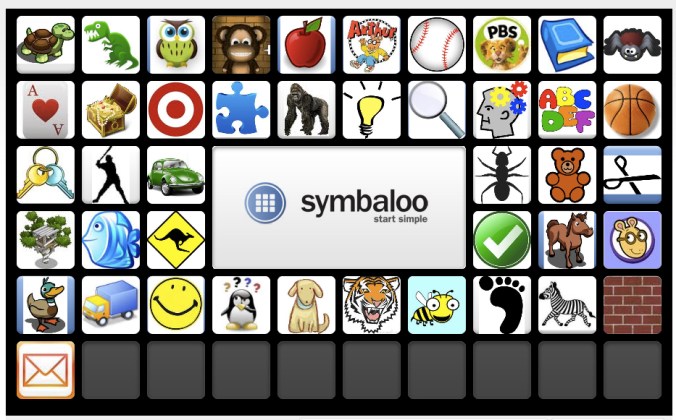
My online life is no exception.  I have a need for things to be organized and easily found.  I recently decided my bookmarks were out of control.  The “website weeds” needed to be pulled and I needed some rhyme to my reason.  I found Symbaloo.  Symbaloo is a FREE, customizable start page tool that lets users add all their most important links in a format that is easy to use. The user’s webmix appears as sleek buttons with icons or logos. The user can drag and drop items to organize them in a way that is convenient and practical. The items, or tiles, can be searched so users can find those that are most relevant to the items they are adding. Users can view their home webmix or browse webmix collections. News highlights and major news are also accessible through tabs on the Symbaloo homepage. The user can access an online resource simply by clicking one of the tiles on the webmix they are currently viewing.

Initially, I thought this is a great way to put all of my websites in one visual Scrabble board of sorts.  Then it occurred to me I could use this on the iPad.

Having the ability to create several different webmixes, you could make one just for iPad apps.  This can be shared with others, including parents of students in the class.

You could also create a webmix of various websites that you want the students to access for a particular subject your are studying.  Students would have all of those websites contained in the one webmix…no web surfing needed.  You would just make a shortcut to the webmix on the iPad screen.  Students would have instant access.  The visual aspect of the tiles is particularly beneficial to younger students.

If you are short of time or not feeling creative, you can search other webmixes created on a theme and add them to your own collection.  My Symbaloo is a combination of my own webmixes as well as some educational webmixes created by others.  I am able to access them on my iPad or on a computer.  The webmixes I’ve posted here are ones I added from the Symbaloo gallery.Symbaloo is great for those who prefer a visual format over text.  It helps me keep my ducks in a row and my obsessive side in sync.  Give it a try!

I’d love for you to leave a comment, subscribe to my blog, and/or share this post with a friend.

Spelling on the iPad

“My spelling is Wobbly. It’s good spelling but it Wobbles, and the letters get in the wrong places.” A. A. Milne

How many times in a day do I hear “How do you spell…”  They know better than to ask.  They know I do not spell for them.  I guess hope springs eternal and they think if they ask often enough, I will cave.  We use inventive spelling strategies in the classroom along with environmental print and word walls.  There is no shortage of words in our room.

On the iPads, we like to use a few apps to work on spelling.  The favorite of my students is Montessori Crosswords.  This app is a little pricey at $2.99 but it is very good. Students build words in crossword puzzle form using sounds and picture clues.  We also use Word Wizard. There are 189 word lists to choose from and 1000 frequently used words.  Students use a talking, moving alphabet that enables them to create words and read.  This app is also $2.99.  For individualization, I use the Spelling 1-2 app.  This app is very pricey at $9.99.  It has skyrocketed in price.  I bought it for much less last year.  The best feature of this app is the ability to create individualized spelling lists for students.  The newest app we have is FREE.  It is called NG Word Builder.  It is created by National Geographic.  Word Builder is an interactive resource that lets students build words and sentences using letters, blends and digraphs, vowel patterns, endings and affixes, word families, and high frequency words. It is perfect for reinforcing phonics and spelling.  Did I mention it is free??

In addition to using these apps, we do word work daily in the classroom.  We use the iPads to write the room, make lists, work on word families and even take spelling tests.

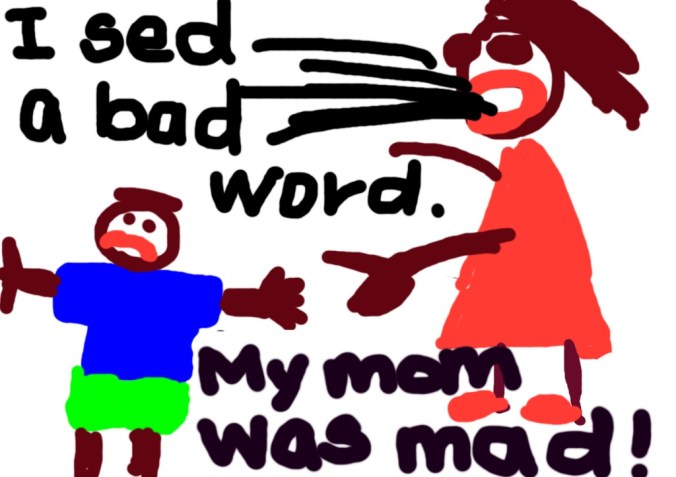
I recently read “I Ain’t Gonna Paint No More” by Karen Beaumont. If you haven’t read it, it’s hysterical.  The illustrations alone make me laugh.  In the story, the young man gets in trouble for painting all over the house and making a terrible mess.  After the story, we talked about things the students have done that have gotten them in trouble.  We went to the iPads and illustrated.  Some wrote directly on the illustration, others imported it into the Pages app and typed their story.  Boy, talk about true confession time! Here is my favorite.  It is a good way to end a Friday blog post.

I’d love for you to leave a comment, subscribe to my blog, and/or share this post with a friend.

A Bet’s a Bet!

“The real voyage of discovery consists not in seeking new landscapes but in new eyes.” -Marcel Proust

A recent conversation between 2 of my students went something like this:

“I saw a python in my yard over spring break.”

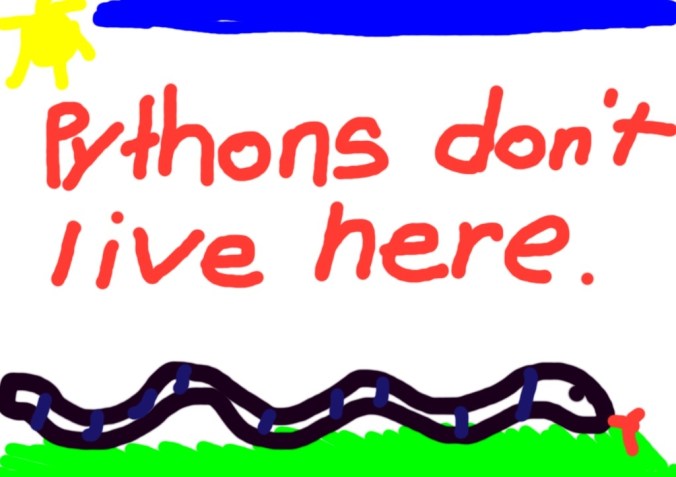
“No way! Pythons don’t live here.”

“Yeah huh I really did. I bet you $10.  Have you ever seen one?”

“No. Only on tv.”

“Dude, come look on my iPad. I will show you one.”

At that point, they went over to their iPads. They promptly opened up Safari, Google-searched pythons and went straight to Wikipedia.  They started reading what pythons eat and looked at pictures of pythons.  Then, a terrible, awful, discovery…pythons do not live in Charleston.  Oops.  *Silence*   Well, this is awkward.

Haven’t we all insisted something was right and we were oh-so-wrong?  We all have misconceptions and young children are no different.  Sometimes it’s difficult to let go of those misconceptions.  In this case, the students solved their own problem.  They were forced to look at something in a different way.  Problem solving and discovery often mean a change in thinking, a change in how we look at something, a paradigm shift.

Many school districts are looking at a change in how they do education.  Decisions are being made about whether to try iPads or some other tablet.  Discussions are being had about what is the best way to proceed.  Arguments are taking place about whether teachers and students need this technology. The misconception exists that young students can’t handle iPads.  I have taught for 22 years without iPads and just over 1 year with them.  In the past, I’ve had as many as 4 desktop computers in my classroom and as few as 1. (I currently have none.)  The problem with the desktop computers was lack of access.  There was no way all 30 students could get on the computers in a meaningful way on a daily basis.  How many times a day do you use your smart phone to look up something, get directions, make a reservation, look up a phone number, text someone, send an email or take a picture?  Accessibility to information is a critical part of learning. The students in the verbal exchange written above would have either argued their way through the python dilemma or they would’ve come to me to solve it.  I am not a paid Apple representative, nor do I play one on TV…but what I know for sure is the accessibility and convenience of the iPad allow students and teachers to approach learning in a whole new way…with a new set of eyes.

“Dude…you owe me $10.”

I’d love for you to leave a comment, subscribe to my blog, and/or share this post with a friend.

iBooks Author

“There are many little ways to enlarge your child’s world. Love of books is the best of all.”-Jackie Kennedy

How can I help my students be better readers?  What do good readers do? These are questions all teachers face daily.  For the past 3 years, we have been using the Fountas and Pinnell Leveled Literacy approach to teach reading and writing.  This has been very successful for us.  One of our biggest obstacles in implementing this program is obtaining resources for teaching guided reading.  Our leveled book collection initially was non-existent.  Over the last 2 years, our school has prioritized literacy and added books to create a leveled book room.  While we are in a much better position with resources now, adding books is expensive…and no one has any money.

Enter iBooks Author.   This free program for the Mac allows you to create your own multi-touch book.  It allows for creation of galleries, video, 3D objects, and interactive diagrams.  There are templates ready to use or you can create your own. I’ve been creating books for my students in this app and uploading them to their iBooks app on the iPads.  My first book was a non-fiction book about our city, Charleston, SC.  It was written with easier vocabulary, repetitive text patterns, and utilizing mostly sight words.  I created a second version using the same pictures with slightly more difficult vocabulary and increased sentence structure.  The third version has the same pictures, but was written for my above-grade level readers.  Knowing my students’ interests has also helped me decide on book topics.  I wrote a non-fiction book on Dirt Bikes and another on Soccer.  Looking at my state science standards, I wrote a non-fiction book on Baby Animals.  Some of my boys who are more reluctant readers, love the Dirt Bikes book and read it daily.

The Common Core State Standards indicate students need to be reading more informational texts. By 4th grade, students should be reading 50% literary texts and 50% informational texts.  Today’s workplace requires many different kinds of literacy.  Good readers read many different kinds of books. They think about what they read and they make connections as they read.  Good readers ask questions and make predictions.  With the iBooks Author app, I am able to create student centered texts that are literally at their fingertips.

I’d love for you to leave a comment, subscribe to my blog, and/or share this post with a friend.